More browsing paths
Play Discovery Kids: Dolphin Discovery (US edition) Online
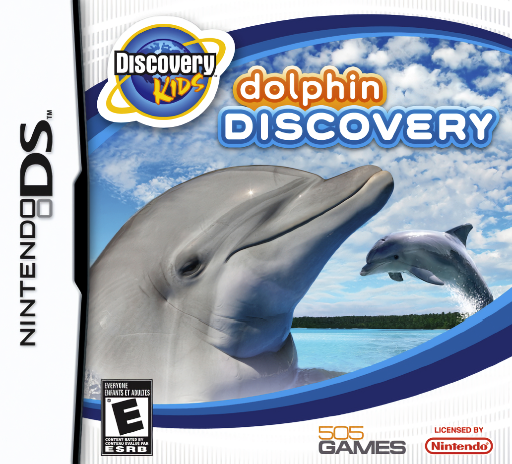
Discovery Kids - Dolphin Discovery
Play Discovery Kids: Dolphin Discovery online. Get to know a dolphin through care, small quests and varied short activities.
Browser play
Nintendo DS (NDS) — EmulatorJS controls
Default Player 1 keyboard mapping. Change keys in Controller Settings.
| Console button | Keyboard |
|---|---|
| ↑ / ↓ / ← / → | ↑ / ↓ / ← / → |
| A / B / X / Y | Z / X / A / S |
| L / R | Q / E |
| START / SELECT | Enter / V |
| Microphone | Not assigned |
Open Controller Settings to configure your keyboard or gamepad. Touch controls are available on mobile.
How to Play Discovery Kids: Dolphin Discovery
Quick start
Meet the dolphin and read the first task before exploring. Complete one requested care or play activity, check the result and follow the next quest marker or instruction. Try a short minigame when it becomes available, then return to the dolphin's needs rather than only repeating the game.
Controls
Follow the DS movement or selection controls shown for the current scene. Use the touch menu to choose care items and activities, then complete the specific gesture or timing prompt. Exploration, dolphin care and minigames have different controls, so read the current instruction before acting.
Discovery Kids: Dolphin Discovery — About this game
Dolphin Discovery mixes a pet-simulation theme with tasks and minigames around the dolphin. Begin by reading the first request and learning how to interact in the current scene. Completing one activity can point you toward another, so watch the result instead of returning to the same icon automatically. Care and play ask for different responses, and exploring between tasks gives the adventure a broader rhythm than a static aquarium view. Check what the dolphin needs before choosing a minigame just for its score. Use the DS instructions for the present activity, finish a manageable task and then follow the next objective. The game is an interactive dolphin companion experience rather than a real-world training guide.
Cheats
No cheats have been added for this edition.
Player verification and sources
Browser play was reviewed before this edition was published in the catalogue. The date below is the catalogue publication date, not the game’s original release date.
- Browser test and catalogue publication date
- Browsers and devices
- PC: Chrome, Edge and Firefox. Mobile: Chrome on Android and Safari on iPhone and iPad.
- Player engine and core
- EmulatorJS 4.3.0-pre · nds
- Tested by
- rwEmulator
Sources and editorial basis
rwEmulator reviews edition metadata, release information, game manuals and first-hand browser-play notes. Available manuals are linked below; the editorial policy explains how facts are checked and corrections are handled.