More browsing paths
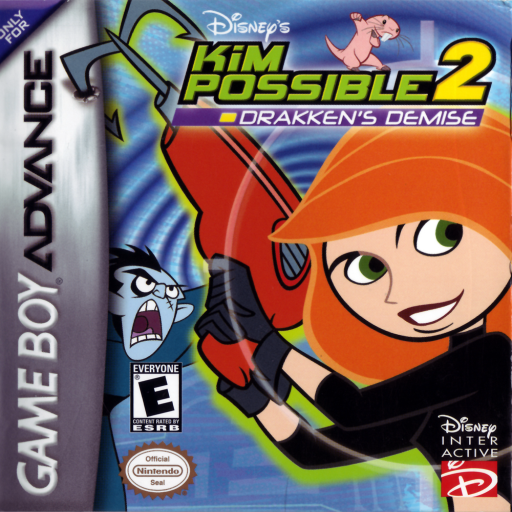
Play Disney's Kim Possible 2: Drakken's Demise (Japan edition) Online
Disney's Kim Possible
GBA version guide for playing Disney's Kim Possible 2: Drakken's Demise online. Contains the starting procedure, first objective, actual button operations, and tips for the beginning.
Browser play
Game Boy Advance (GBA) — EmulatorJS controls
Default Player 1 keyboard mapping. Change keys in Controller Settings.
| Console button | Keyboard |
|---|---|
| ↑ / ↓ / ← / → | ↑ / ↓ / ← / → |
| A / B | Z / X |
| L / R | Q / E |
| START / SELECT | Enter / V |
Open Controller Settings to configure your keyboard or gamepad. Touch controls are available on mobile.
How to Play Disney's Kim Possible 2: Drakken's Demise
Quick start
Episode 1 starts with "NEW GAME". Advance Kim along a side-scrolling path, defeating enemies with short bursts of attacks, and choosing gadgets to match obstacles. Before going down the cliff, look down and practice long jumps by pressing the D-pad twice. For the rocket skating and shooting aspects, follow the instructions at the beginning.
Controls
Cross button left/right: move, up/down: look up/down, down: crouch. A: Jump. B: Attack, combo with consecutive hits. Hold L and enter direction: Gadget selection, R: Use. START: Pause. On the shooting side, press the cross to fly, press B to shoot, and press A to evade. On the skate surface, left and right are for speed, bottom is for crouching, A is for jumping, and B is for attacking.
Disney's Kim Possible 2: Drakken's Demise Game manuals
Cheats
No cheats have been added for this edition.
Player verification and sources
Browser play was reviewed before this edition was published in the catalogue. The date below is the catalogue publication date, not the game’s original release date.
- Browser test and catalogue publication date
- Browsers and devices
- PC: Chrome, Edge and Firefox. Mobile: Chrome on Android and Safari on iPhone and iPad.
- Player engine and core
- EmulatorJS 4.3.0-pre · gba
- Tested by
- rwEmulator
Sources and editorial basis
rwEmulator reviews edition metadata, release information, game manuals and first-hand browser-play notes. Available manuals are linked below; the editorial policy explains how facts are checked and corrections are handled.