More browsing paths
Play Disney's Lilo & Stitch (Europe edition) Online
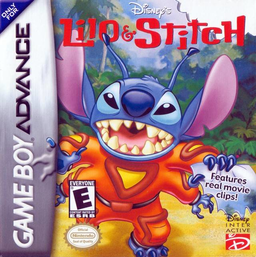
Disney's Lilo & Stitch
Play Disney's Lilo & Stitch online and cross Hawaii and alien worlds in a GBA action adventure with shooting, stealth and vehicle stages.
Browser play
Game Boy Advance (GBA) — EmulatorJS controls
Default Player 1 keyboard mapping. Change keys in Controller Settings.
| Console button | Keyboard |
|---|---|
| ↑ / ↓ / ← / → | ↑ / ↓ / ← / → |
| A / B | Z / X |
| L / R | Q / E |
| START / SELECT | Enter / V |
Open Controller Settings to configure your keyboard or gamepad. Touch controls are available on mobile.
How to Play Disney's Lilo & Stitch
Quick start
From the Main Menu choose Start Game. The adventure begins on the beaches of Hawaii with Stitch pursuing Lilo's kidnappers; move right, aim with the D-pad, jump over hazards and shoot enemies as you work towards the first boss, Bounty Hunter Bob. Check START for level hints and note the password shown there before quitting.
Controls
Menus: Up/Down highlights, A or START selects, B returns. Stitch: D-pad moves/aims, Down ducks, Down+Left/Right crawls, A jumps, B fires or picks up/throws nearby objects, R throws a Pineapple Grenade, START pauses and shows hints. Lilo: A jumps, B swings Scrump or activates switches/doors, R+Left/Right sneaks, L hides. Vehicle stages have separate controls documented in the manual.
Disney's Lilo & Stitch Game manuals
Cheats
No cheats have been added for this edition.
Player verification and sources
Browser play was reviewed before this edition was published in the catalogue. The date below is the catalogue publication date, not the game’s original release date.
- Browser test and catalogue publication date
- Browsers and devices
- PC: Chrome, Edge and Firefox. Mobile: Chrome on Android and Safari on iPhone and iPad.
- Player engine and core
- EmulatorJS 4.3.0-pre · gba
- Tested by
- rwEmulator
Sources and editorial basis
rwEmulator reviews edition metadata, release information, game manuals and first-hand browser-play notes. Available manuals are linked below; the editorial policy explains how facts are checked and corrections are handled.