More browsing paths
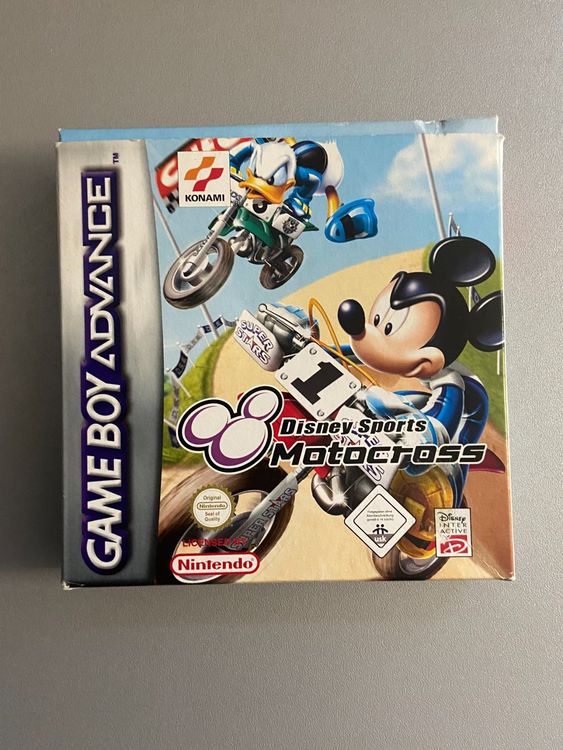
Play Disney Sports Motocross (Europe edition) Online
Disney Sports Motocross
Play Disney Sports Motocross online with a GBA-specific guide covering startup, the first objective, original button controls and practical beginner tips.
Browser play
Game Boy Advance (GBA) — EmulatorJS controls
Default Player 1 keyboard mapping. Change keys in Controller Settings.
| Console button | Keyboard |
|---|---|
| ↑ / ↓ / ← / → | ↑ / ↓ / ← / → |
| A / B | Z / X |
| L / R | Q / E |
| START / SELECT | Enter / V |
Open Controller Settings to configure your keyboard or gamepad. Touch controls are available on mobile.
How to Play Disney Sports Motocross
Quick start
Choose a character, then run the Tutorial before entering Challenge Cup or a single race. The first race is about reaching the finish in front while changing lanes around hazards and collecting useful items. Hold A for normal speed and use B turbo in short bursts near the top of an uphill slope; in the air, tilt the bike to match the landing so a fast jump does not end in a wipe-out.
Controls
On the ground, D-Pad Up/Down changes lanes; A accelerates and B uses turbo. In the air, Left raises the front wheel and Right lowers it to match flat, uphill or downhill landings. START pauses. The tutorial contains 12 lessons and is the documented place to practise steering, turbo and tricks before racing.
Cheats
No cheats have been added for this edition.
Player verification and sources
Browser play was reviewed before this edition was published in the catalogue. The date below is the catalogue publication date, not the game’s original release date.
- Browser test and catalogue publication date
- Browsers and devices
- PC: Chrome, Edge and Firefox. Mobile: Chrome on Android and Safari on iPhone and iPad.
- Player engine and core
- EmulatorJS 4.3.0-pre · gba
- Tested by
- rwEmulator
Sources and editorial basis
rwEmulator reviews edition metadata, release information, game manuals and first-hand browser-play notes. Available manuals are linked below; the editorial policy explains how facts are checked and corrections are handled.