More browsing paths
Play Dogz (Europe edition · English) Online
Dogz
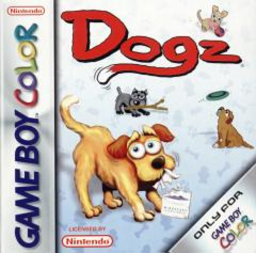
Play Dogz online on GBC. Adopt dogs, learn their likes and care for them with toys and grooming.
Browser play
Game Boy Color (GBC) — EmulatorJS controls
Default Player 1 keyboard mapping. Change keys in Controller Settings.
| Console button | Keyboard |
|---|---|
| ↑ / ↓ / ← / → | ↑ / ↓ / ← / → |
| A / B | Z / X |
| START / SELECT | Enter / V |
Open Controller Settings to configure your keyboard or gamepad. Touch controls are available on mobile.
How to Play Dogz
Quick start
Visit Petz Store to adopt, then choose the dog in Playpen. Press SELECT for the toy shelf, pick an item with A and use B for its action. Open START to check status and adjust care.
Controls
Directional pad moves the cursor. A picks up or releases toys and dogs; B uses the held toy. Hold B over the dog and rock the directional pad to pet it. SELECT opens the toy shelf; START opens status and main-menu links.
Dogz — About this game
Use the status screen to understand what the current pet needs instead of offering the same toy repeatedly. Each dog has its own likes, and happiness staying in the red for too long can make it run away. Give one dog focused attention, then return to the store when you are ready for another adoption.
Dogz Game manuals
Cheats
No cheats have been added for this edition.
Player verification and sources
Browser play was reviewed before this edition was published in the catalogue. The date below is the catalogue publication date, not the game’s original release date.
- Browser test and catalogue publication date
- Browsers and devices
- PC: Chrome, Edge and Firefox. Mobile: Chrome on Android and Safari on iPhone and iPad.
- Player engine and core
- EmulatorJS 4.3.0-pre · gb
- Tested by
- rwEmulator
Sources and editorial basis
rwEmulator reviews edition metadata, release information, game manuals and first-hand browser-play notes. Available manuals are linked below; the editorial policy explains how facts are checked and corrections are handled.