More browsing paths
Play The Cat in the Hat (Europe edition) Online
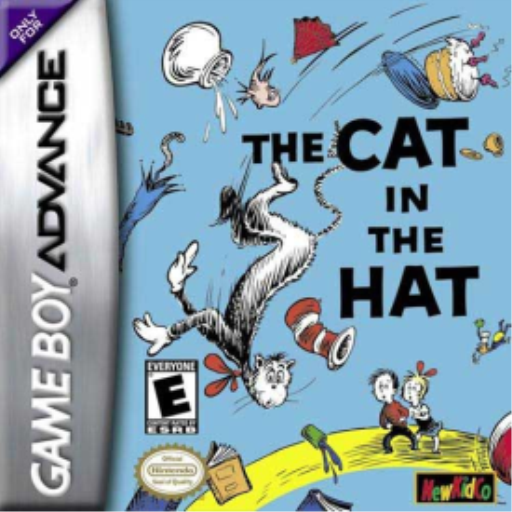
The Cat in the Hat
Play The Cat in the Hat online on GBA and restore five rooms by capturing creatures, gliding with the umbrella and completing vehicle sections.
Browser play
Game Boy Advance (GBA) — EmulatorJS controls
Default Player 1 keyboard mapping. Change keys in Controller Settings.
| Console button | Keyboard |
|---|---|
| ↑ / ↓ / ← / → | ↑ / ↓ / ← / → |
| A / B | Z / X |
| L / R | Q / E |
| START / SELECT | Enter / V |
Open Controller Settings to configure your keyboard or gamepad. Touch controls are available on mobile.
How to Play The Cat in the Hat
Quick start
Press START, choose New Game and select a save slot. Start by clearing all loose creatures from the Living Room; the next door only opens once the room is clean. Trap creatures with B, then jump and press B to umbrella-bounce onto them. Continue through the Kitchen, Bathroom, Bedroom and Attic, using the PDA in the pause menu to check progress.
Controls
Cat: D-pad moves, Down crouches, diagonal Down crawls; A jumps, and pressing/holding A again glides; B fires Bubble Thumb; A then B performs an Umbrella Bounce; R activates a power-up; START pauses. Diver Dan: D-pad moves, A uses Bubble Buster, B affects objects below. S.L.O.W. Mobile: D-pad steers, A accelerates, B extends the capture arm.
The Cat in the Hat Game manuals
Cheats
No cheats have been added for this edition.
Player verification and sources
Browser play was reviewed before this edition was published in the catalogue. The date below is the catalogue publication date, not the game’s original release date.
- Browser test and catalogue publication date
- Browsers and devices
- PC: Chrome, Edge and Firefox. Mobile: Chrome on Android and Safari on iPhone and iPad.
- Player engine and core
- EmulatorJS 4.3.0-pre · gba
- Tested by
- rwEmulator
Sources and editorial basis
rwEmulator reviews edition metadata, release information, game manuals and first-hand browser-play notes. Available manuals are linked below; the editorial policy explains how facts are checked and corrections are handled.