More browsing paths
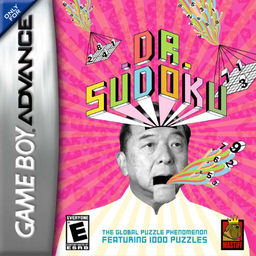
Play Dr. Sudoku (Japan edition) Online
Minna no Soft Series: Numpla Advance
Play Sudoku Advance online. This is a GBA Sudoku game that allows you to solve regular problems and self-made problems using candidate notes and number highlights.
Browser play
Game Boy Advance (GBA) — EmulatorJS controls
Default Player 1 keyboard mapping. Change keys in Controller Settings.
| Console button | Keyboard |
|---|---|
| ↑ / ↓ / ← / → | ↑ / ↓ / ← / → |
| A / B | Z / X |
| L / R | Q / E |
| START / SELECT | Enter / V |
Open Controller Settings to configure your keyboard or gamepad. Touch controls are available on mobile.
How to Play Dr. Sudoku
Quick start
Select "Normal Mode" from "Game Start", switch the difficulty level with L/R and decide on the problem. The objective is to fill in the blanks in each row, column, and 3x3 block so that numbers 1 to 9 do not overlap. Press A in the blank field to select a number, and when in doubt, press L to switch to Memo Mode and write down your suggestions.
Controls
Menu: Select with the cross button, confirm with A or START, return with B, change difficulty with L/R. Problem screen: Use the cross button to move the cursor, A to enter the number menu/confirm, B to cancel/delete input numbers, L to switch to Memo Mode, R to the Help and Information panel, START to pause. When taking a memo, select a corner, write a candidate with A, and erase with B.
Dr. Sudoku Game manuals
Cheats
No cheats have been added for this edition.
Player verification and sources
Browser play was reviewed before this edition was published in the catalogue. The date below is the catalogue publication date, not the game’s original release date.
- Browser test and catalogue publication date
- Browsers and devices
- PC: Chrome, Edge and Firefox. Mobile: Chrome on Android and Safari on iPhone and iPad.
- Player engine and core
- EmulatorJS 4.3.0-pre · gba
- Tested by
- rwEmulator
Sources and editorial basis
rwEmulator reviews edition metadata, release information, game manuals and first-hand browser-play notes. Available manuals are linked below; the editorial policy explains how facts are checked and corrections are handled.