More browsing paths
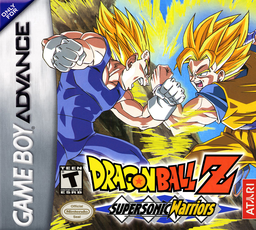
Play Dragon Ball Z: Supersonic Warriors (Japan edition) Online
Dragon Ball Z: Bukuu Tougeki
Play Dragon Ball Z: Supersonic Warriors online. Take on high-speed aerial battles by making full use of team changes, energy storage, energy bullets, defense, teleportation, and special moves.
Browser play
Game Boy Advance (GBA) — EmulatorJS controls
Default Player 1 keyboard mapping. Change keys in Controller Settings.
| Console button | Keyboard |
|---|---|
| ↑ / ↓ / ← / → | ↑ / ↓ / ← / → |
| A / B | Z / X |
| L / R | Q / E |
| START / SELECT | Enter / V |
Open Controller Settings to configure your keyboard or gamepad. Touch controls are available on mobile.
How to Play Dragon Ball Z: Supersonic Warriors
Quick start
Press START and first practice movement, strikes, Ki bullets, special moves, substitutions, and combos in the Tutorial. Then select a character or saga in Story Mode. R's energy storage has a big gap, so do it from a safe distance.
Controls
Move with the D-pad, press left or right twice to dash, press up to jump, and press twice to stop in the air. A is a strong attack, B is a weak attack, long press either to defend, L to switch allies, R to collect energy, START to pause. R+B/A is a weak/strong bullet, A+B is a short-range special, R+A+B is a long-range special.
Dragon Ball Z: Supersonic Warriors Game manuals
Cheats
No cheats have been added for this edition.
Player verification and sources
Browser play was reviewed before this edition was published in the catalogue. The date below is the catalogue publication date, not the game’s original release date.
- Browser test and catalogue publication date
- Browsers and devices
- PC: Chrome, Edge and Firefox. Mobile: Chrome on Android and Safari on iPhone and iPad.
- Player engine and core
- EmulatorJS 4.3.0-pre · gba
- Tested by
- rwEmulator
Sources and editorial basis
rwEmulator reviews edition metadata, release information, game manuals and first-hand browser-play notes. Available manuals are linked below; the editorial policy explains how facts are checked and corrections are handled.