More browsing paths
Play Dragon Ball Z: The Legacy of Goku (Europe edition) Online
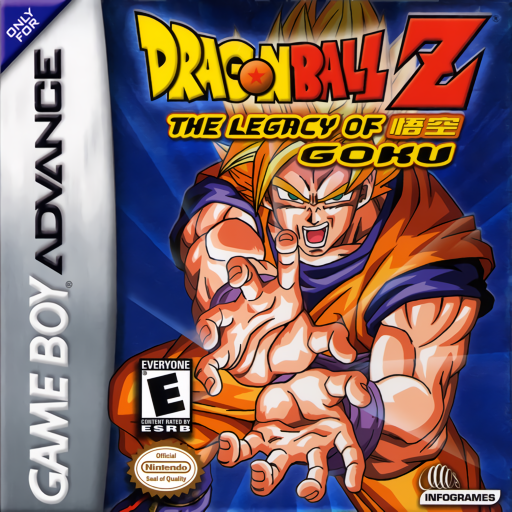
Dragon Ball Z: The Legacy of Goku
Play Dragon Ball Z: The Legacy of Goku online and relive Dragon Ball Z as an action RPG with quests, character growth, melee and Ki combat, exploration, maps and story battles.
Browser play
Game Boy Advance (GBA) — EmulatorJS controls
Default Player 1 keyboard mapping. Change keys in Controller Settings.
| Console button | Keyboard |
|---|---|
| ↑ / ↓ / ← / → | ↑ / ↓ / ← / → |
| A / B | Z / X |
| L / R | Q / E |
| START / SELECT | Enter / V |
Open Controller Settings to configure your keyboard or gamepad. Touch controls are available on mobile.
How to Play Dragon Ball Z: The Legacy of Goku
Quick start
Choose New Game, begin on Master Roshi’s Island, talk to everyone and collect the requested magazines before leaving. Check Quests from the Start menu, save through the menu, and conserve limited flight charges for water or blocked terrain.
Controls
D-Pad moves. A performs melee attacks, talks, examines and confirms; B fires/charges the selected Ki attack and cancels; L cycles Ki attacks; R enters Flight Mode when charges are available; Select shows flight status; Start opens the quest, inventory, attack and save menu.
Dragon Ball Z: The Legacy of Goku Game manuals
Cheats
No cheats have been added for this edition.
Player verification and sources
Browser play was reviewed before this edition was published in the catalogue. The date below is the catalogue publication date, not the game’s original release date.
- Browser test and catalogue publication date
- Browsers and devices
- PC: Chrome, Edge and Firefox. Mobile: Chrome on Android and Safari on iPhone and iPad.
- Player engine and core
- EmulatorJS 4.3.0-pre · gba
- Tested by
- rwEmulator
Sources and editorial basis
rwEmulator reviews edition metadata, release information, game manuals and first-hand browser-play notes. Available manuals are linked below; the editorial policy explains how facts are checked and corrections are handled.