More browsing paths
Play Dragon Buster II - Yami no Fuuin (Japan edition · Japanese) Online
Dragon Buster II: Yami no Fuuin
Learn Dragon Buster II controls for arrows, keys, dungeon entry, status and overworld tools, plus practical mapping and ammunition tips.
Browser play
Nintendo Entertainment System (NES) / Famicom — EmulatorJS controls
Default Player 1 keyboard mapping. Change keys in Controller Settings.
| Console button | Keyboard |
|---|---|
| ↑ / ↓ / ← / → | ↑ / ↓ / ← / → |
| A / B | Z / X |
| START / SELECT | Enter / V |
Open Controller Settings to configure your keyboard or gamepad. Touch controls are available on mobile.
How to Play Dragon Buster II - Yami no Fuuin
Quick start
Move with the D-pad and fire arrows with B. Pick up keys and other floor items with A, and use SELECT to enter or leave dungeons and doors. Because arrows are limited and can bounce from walls, line up shots instead of firing blindly in narrow corridors.
Controls
D-pad: move. A: pick up keys and floor items. B: shoot arrows; on regional maps, use tools such as the axe, boat, ladder, or hammer. SELECT: enter/exit a dungeon or door. START: pause and view status.
Dragon Buster II - Yami no Fuuin — About this game
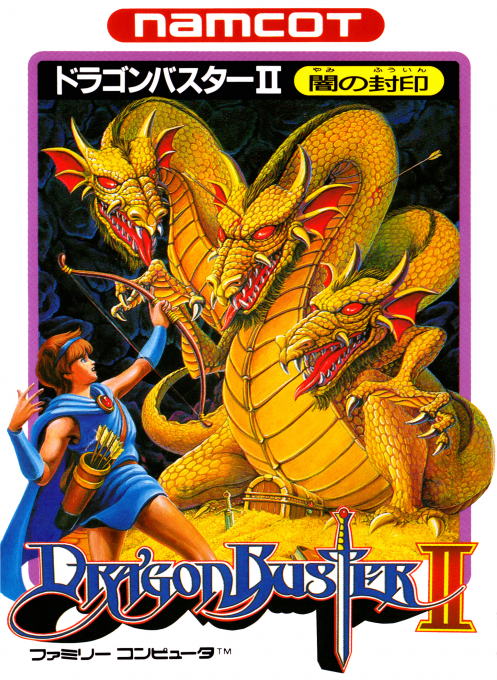
Dragon Buster II: Yami no Fūin is a Japan-only Famicom action RPG and a prequel to the original. Karl explores dim top-down labyrinths where each step reveals more of the map, arrows are limited, and shots can rebound from walls. Defeating room guardians yields keys or useful items, while axes, boats, ladders, and hammers open new routes on the regional overworld.
Cheats
No cheats have been added for this edition.
Player verification and sources
Browser play was reviewed before this edition was published in the catalogue. The date below is the catalogue publication date, not the game’s original release date.
- Browser test and catalogue publication date
- Browsers and devices
- PC: Chrome, Edge and Firefox. Mobile: Chrome on Android and Safari on iPhone and iPad.
- Player engine and core
- EmulatorJS 4.3.0-pre · nes
- Tested by
- rwEmulator
Sources and editorial basis
rwEmulator reviews edition metadata, release information, game manuals and first-hand browser-play notes. Available manuals are linked below; the editorial policy explains how facts are checked and corrections are handled.