More browsing paths
Play Dragon Fighter (US edition · English) Online
Dragon Fighter
Learn Dragon Fighter’s NES controls, sword charge shot, crouching attacks, metamorph meter and when to use the flying dragon form.
Browser play
Nintendo Entertainment System (NES) / Famicom — EmulatorJS controls
Default Player 1 keyboard mapping. Change keys in Controller Settings.
| Console button | Keyboard |
|---|---|
| ↑ / ↓ / ← / → | ↑ / ↓ / ← / → |
| A / B | Z / X |
| START / SELECT | Enter / V |
Open Controller Settings to configure your keyboard or gamepad. Touch controls are available on mobile.
How to Play Dragon Fighter
Quick start
Jump with A and swing the sword with B. Hold B until the fighter flashes, then release for a projectile. Kill enemies with the sword to fill at least half the eye meter, then press Up+A to transform. Hold Down and attack low enemies instead of letting them pass underneath.
Controls
D-pad: move; Down crouches. A: jump. B: sword; hold until flashing and release for a projectile. With the metamorph meter above half, Up+A transforms into a dragon. START: pause. SELECT: no function.
Dragon Fighter — About this game
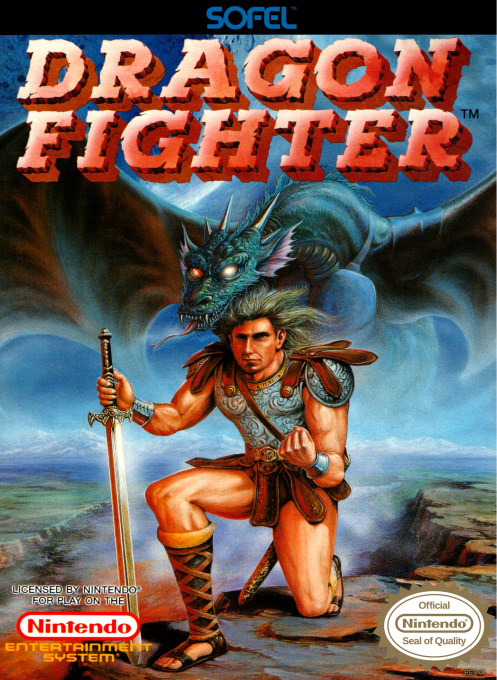
North American NES cartridge. Dragon Fighter is a forced-right-scrolling NES action game that alternates between sword combat and shooting as a dragon. Defeating enemies with the sword fills the metamorph meter; once it is at least half full, the fighter can transform and fly through the stage. Holding B charges a ranged bomb, while crouching is necessary to hit small enemies, making meter use and positioning central to survival.
Cheats
No cheats have been added for this edition.
Player verification and sources
Browser play was reviewed before this edition was published in the catalogue. The date below is the catalogue publication date, not the game’s original release date.
- Browser test and catalogue publication date
- Browsers and devices
- PC: Chrome, Edge and Firefox. Mobile: Chrome on Android and Safari on iPhone and iPad.
- Player engine and core
- EmulatorJS 4.3.0-pre · nes
- Tested by
- rwEmulator
Sources and editorial basis
rwEmulator reviews edition metadata, release information, game manuals and first-hand browser-play notes. Available manuals are linked below; the editorial policy explains how facts are checked and corrections are handled.