More browsing paths
Play Dragon Quest Monsters: Joker (US edition · English) Online
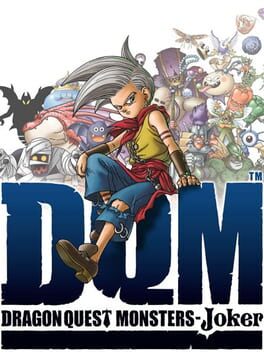
Dragon Quest Monsters - Joker
Play Dragon Quest Monsters: Joker online. Scout monsters across the Green Bays and build a three-monster team for the Monster Scout Challenge. Learn how to start and use the original Nintendo DS controls.
Browser play
Nintendo DS (NDS) — EmulatorJS controls
Default Player 1 keyboard mapping. Change keys in Controller Settings.
| Console button | Keyboard |
|---|---|
| ↑ / ↓ / ← / → | ↑ / ↓ / ← / → |
| A / B / X / Y | Z / X / A / S |
| L / R | Q / E |
| START / SELECT | Enter / V |
| Microphone | Not assigned |
Open Controller Settings to configure your keyboard or gamepad. Touch controls are available on mobile.
How to Play Dragon Quest Monsters: Joker
Quick start
Follow the opening at CELL headquarters and choose your first monster. Travel to Domus Isle; when the opening ceremony is delayed, head for Infant Isle and follow the Scout’s Pledge instructions. Practise battles near the start and try Scout to add a second teammate.
Controls
D-Pad: move and navigate menus. A: talk, investigate and confirm. X: main menu. L/R: rotate the field camera or change menu windows. B: cancel in menus; reset the camera in the field. SELECT: sort supported item and monster lists.
Dragon Quest Monsters: Joker — About this game
This DS adventure follows a young scout through the islands of the Green Bays. Monsters roam the 3D landscapes, and meeting one starts a turn-based battle with your own team. The Scout command offers a chance to recruit an opponent instead of defeating it, so building a collection depends on the strength and balance of your party. Later, synthesis combines two monsters into an offspring with inherited skills. Exploring new islands, training promising recruits and choosing complementary abilities all feed into the Monster Scout Challenge.
Dragon Quest Monsters: Joker Game manuals
Cheats
No cheats have been added for this edition.
Player verification and sources
Browser play was reviewed before this edition was published in the catalogue. The date below is the catalogue publication date, not the game’s original release date.
- Browser test and catalogue publication date
- Browsers and devices
- PC: Chrome, Edge and Firefox. Mobile: Chrome on Android and Safari on iPhone and iPad.
- Player engine and core
- EmulatorJS 4.3.0-pre · nds
- Tested by
- rwEmulator
Sources and editorial basis
rwEmulator reviews edition metadata, release information, game manuals and first-hand browser-play notes. Available manuals are linked below; the editorial policy explains how facts are checked and corrections are handled.