More browsing paths
Play Dragon's Lair (Europe edition · English) Online
Dragon's Lair
Learn Dragon’s Lair NES jumps, crawling, weapons, candle secrets, regional controls and lethal castle traps.
Browser play
Nintendo Entertainment System (NES) / Famicom — EmulatorJS controls
Default Player 1 keyboard mapping. Change keys in Controller Settings.
| Console button | Keyboard |
|---|---|
| ↑ / ↓ / ← / → | ↑ / ↓ / ← / → |
| A / B | Z / X |
| START / SELECT | Enter / V |
Open Controller Settings to configure your keyboard or gamepad. Touch controls are available on mobile.
How to Play Dragon's Lair
Quick start
Walk with Left and Right, press Down to crawl, and tap or hold B for short or long jumps. Throw the current weapon with A and use START at known secret locations to light the candle. Treat every death as route information and repeat the safe timing.
Controls
US/PAL layout: Left/Right move, Up stands, Down crawls. A throws weapons. B: short/long jump; press rapidly in Gold Mines. A+B jumps and throws. START activates candle. SELECT pauses; any other key resumes.
Dragon's Lair — About this game
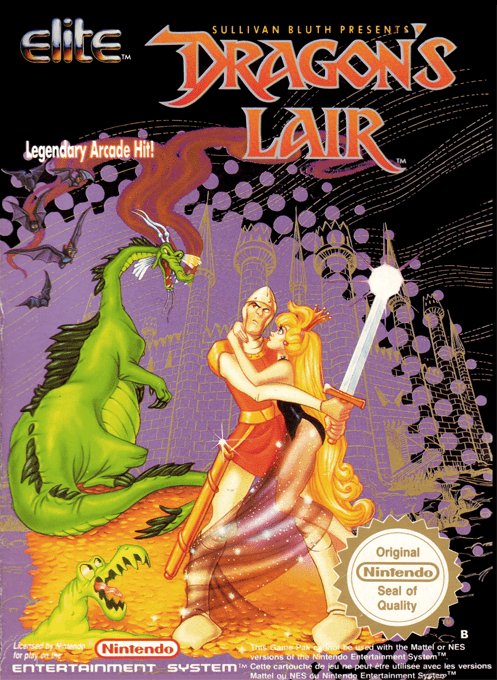
The NES Dragon’s Lair turns the famous animated arcade story into a demanding side-scrolling platform game. Dirk walks, crawls, jumps, throws collected weapons, and searches for hidden supplies with a candle while crossing traps that often kill instantly. Regional versions differ: the US and European builds use B to jump and START for the candle, unlike the Japanese D-pad jump layout. The PAL edition adds enemies and stage splash screens and is more responsive than the US build.
Cheats
No cheats have been added for this edition.
Player verification and sources
Browser play was reviewed before this edition was published in the catalogue. The date below is the catalogue publication date, not the game’s original release date.
- Browser test and catalogue publication date
- Browsers and devices
- PC: Chrome, Edge and Firefox. Mobile: Chrome on Android and Safari on iPhone and iPad.
- Player engine and core
- EmulatorJS 4.3.0-pre · nes
- Tested by
- rwEmulator
Sources and editorial basis
rwEmulator reviews edition metadata, release information, game manuals and first-hand browser-play notes. Available manuals are linked below; the editorial policy explains how facts are checked and corrections are handled.