More browsing paths
Play Dream Chronicles (US edition · English / French) Online
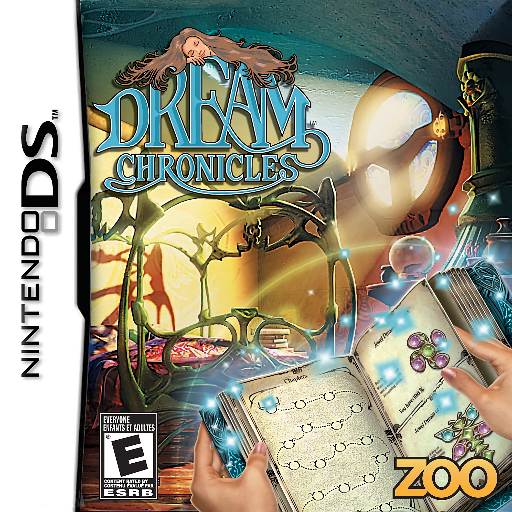
Dream Chronicles
Play Dream Chronicles online. Learn DS touch controls, collect the opening matches, light the fireplace and use inventory objects to solve room puzzles.
Browser play
Nintendo DS (NDS) — EmulatorJS controls
Default Player 1 keyboard mapping. Change keys in Controller Settings.
| Console button | Keyboard |
|---|---|
| ↑ / ↓ / ← / → | ↑ / ↓ / ← / → |
| A / B / X / Y | Z / X / A / S |
| L / R | Q / E |
| START / SELECT | Enter / V |
| Microphone | Not assigned |
Open Controller Settings to configure your keyboard or gamepad. Touch controls are available on mobile.
How to Play Dream Chronicles
Quick start
Press START at the title screen and choose Play. In the first room, inspect the area above the fireplace and collect the matches. Select them in the inventory and apply a match to the fireplace. The fire melts the ice on the door, allowing you to leave. Examine the next room’s objects and diary clues before deciding how to use what you find.
Controls
Use the stylus and touch screen. Hold and drag to look around. Tap an object to inspect it; tapping twice gives more detail or collects a needed object. Select an item in the inventory, then tap its intended place in the scene to apply it. Tap the diary to review the journey and dream jewels. Dream pieces are collected with two taps. Menu buttons are touch-operated.
Dream Chronicles — About this game
Dream Chronicles combines searching detailed scenes with working out what the discovered objects can do. As Faye, inspect a room for tools, parts and clues, then choose an inventory item and use it where it belongs. The first room demonstrates the connection: a match lights the fireplace, melting the ice that blocks the door. Sparkles can draw attention to useful objects, while the diary records the journey and the dream jewels you collect. Dream pieces add another reason to inspect small corners of each scene. Progress depends on understanding the room rather than merely finding a list of objects; when a way out remains closed, return to the clues and the objects still waiting to be used.
Dream Chronicles Game manuals
Cheats
No cheats have been added for this edition.
Player verification and sources
Browser play was reviewed before this edition was published in the catalogue. The date below is the catalogue publication date, not the game’s original release date.
- Browser test and catalogue publication date
- Browsers and devices
- PC: Chrome, Edge and Firefox. Mobile: Chrome on Android and Safari on iPhone and iPad.
- Player engine and core
- EmulatorJS 4.3.0-pre · nds
- Tested by
- rwEmulator
Sources and editorial basis
rwEmulator reviews edition metadata, release information, game manuals and first-hand browser-play notes. Available manuals are linked below; the editorial policy explains how facts are checked and corrections are handled.