More browsing paths
Play Driver 2 Advance (US edition) Online
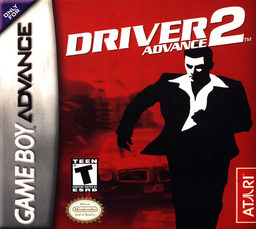
Driver 2 Advance
Play Driver 2 Advance online and drive through Chicago and Rio in GBA undercover missions, pursuits, checkpoint events and free-roaming modes.
Browser play
Game Boy Advance (GBA) — EmulatorJS controls
Default Player 1 keyboard mapping. Change keys in Controller Settings.
| Console button | Keyboard |
|---|---|
| ↑ / ↓ / ← / → | ↑ / ↓ / ← / → |
| A / B | Z / X |
| L / R | Q / E |
| START / SELECT | Enter / V |
Open Controller Settings to configure your keyboard or gamepad. Touch controls are available on mobile.
How to Play Driver 2 Advance
Quick start
From the Main Menu, try Take A Ride first to learn the handling, then choose Undercover and New Game for the story. Follow the mission marker and timer, keep the damage bar under control and avoid raising the Felony bar in view of police. A stationary car can be exited or entered with Up+R, letting Tanner replace a badly damaged vehicle during eligible missions.
Controls
Menus: Up/Down highlights, A or START selects, B or SELECT returns. Driving: D-pad steers, A accelerates, B brakes and reverses, R uses the handbrake, L sounds the horn, L+R looks behind, START pauses, SELECT repeats the mission description. When stopped and not being chased, Up+R exits the car; on foot, approach a stopped vehicle and use Up+R to enter it.
Driver 2 Advance Game manuals
Cheats
No cheats have been added for this edition.
Player verification and sources
Browser play was reviewed before this edition was published in the catalogue. The date below is the catalogue publication date, not the game’s original release date.
- Browser test and catalogue publication date
- Browsers and devices
- PC: Chrome, Edge and Firefox. Mobile: Chrome on Android and Safari on iPhone and iPad.
- Player engine and core
- EmulatorJS 4.3.0-pre · gba
- Tested by
- rwEmulator
Sources and editorial basis
rwEmulator reviews edition metadata, release information, game manuals and first-hand browser-play notes. Available manuals are linked below; the editorial policy explains how facts are checked and corrections are handled.