More browsing paths
Play Driver (Europe edition · English / French / German / Spanish / Italian) Online
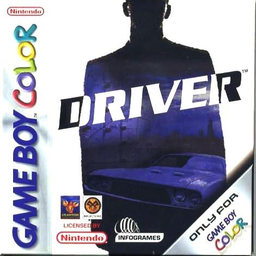
Driver
Play Driver online on GBC. Plan city routes, manage vehicle damage and outdrive police pursuit.
Browser play
Game Boy Color (GBC) — EmulatorJS controls
Default Player 1 keyboard mapping. Change keys in Controller Settings.
| Console button | Keyboard |
|---|---|
| ↑ / ↓ / ← / → | ↑ / ↓ / ← / → |
| A / B | Z / X |
| START / SELECT | Enter / V |
Open Controller Settings to configure your keyboard or gamepad. Touch controls are available on mobile.
How to Play Driver
Quick start
Press A during the opening demonstration to reach the main menu. Choose Take A Ride to practise or Undercover and New Game to begin the story. A accelerates, B brakes or reverses, and START opens the city map so you can plan a road route to the flashing objective.
Controls
Left/Right steers, A accelerates and B brakes or reverses. START opens the city map; the directional pad scrolls it. A on the map quits the mission. B returns to the previous main-menu screen.
Driver — About this game
Undercover starts in Miami and later moves to Los Angeles and New York. Damage ends the run when the car is wrecked, while crimes witnessed by police raise the felony level and make pursuit more aggressive. Use the city map to plan turns rather than crashing toward the arrow. Take A Ride offers a way to learn the streets before a timed job.
Driver Game manuals
Cheats
No cheats have been added for this edition.
Player verification and sources
Browser play was reviewed before this edition was published in the catalogue. The date below is the catalogue publication date, not the game’s original release date.
- Browser test and catalogue publication date
- Browsers and devices
- PC: Chrome, Edge and Firefox. Mobile: Chrome on Android and Safari on iPhone and iPad.
- Player engine and core
- EmulatorJS 4.3.0-pre · gb
- Tested by
- rwEmulator
Sources and editorial basis
rwEmulator reviews edition metadata, release information, game manuals and first-hand browser-play notes. Available manuals are linked below; the editorial policy explains how facts are checked and corrections are handled.