More browsing paths
Play DS Bimoji Training (Japan edition · Japanese) Online
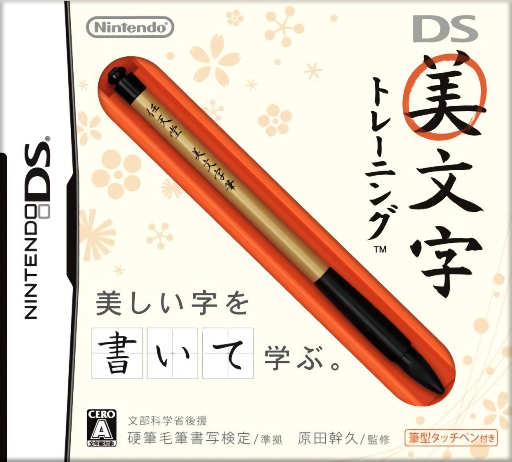
DS Bimoji Training
Play DS Bimoji Training online. Write Japanese characters by hand and compare their shape with correction feedback.
Browser play
Nintendo DS (NDS) — EmulatorJS controls
Default Player 1 keyboard mapping. Change keys in Controller Settings.
| Console button | Keyboard |
|---|---|
| ↑ / ↓ / ← / → | ↑ / ↓ / ← / → |
| A / B / X / Y | Z / X / A / S |
| L / R | Q / E |
| START / SELECT | Enter / V |
| Microphone | Not assigned |
Open Controller Settings to configure your keyboard or gamepad. Touch controls are available on mobile.
How to Play DS Bimoji Training
Quick start
Choose a handwriting lesson and examine its model before writing. Draw one character in the input area, submit it and compare the correction. Repeat a difficult shape slowly, then try an assessment to see how well you can write without a model.
Controls
Write with the stylus inside the touch-screen writing area. Follow the model's stroke direction and spacing, then select the displayed submit or correction controls. Lift between separate strokes; clear and retry when an accidental line changes the character.
DS Bimoji Training — About this game
DS Bimoji Training makes handwriting an interactive practice task. Study a model, write the requested character and examine its balance instead of merely checking whether it is recognizable. A crowded side component or uneven spacing can change the overall shape. Work slowly through a short lesson and apply one correction on the next attempt. Assessments ask you to write without a model, giving a different challenge from copying. Choose a familiar character first to learn the writing area, then use the feedback to decide what to practice next. The on-screen evaluation is a game exercise, not a guarantee about anyone's everyday handwriting.
DS Bimoji Training Game manuals
Cheats
No cheats have been added for this edition.
Player verification and sources
Browser play was reviewed before this edition was published in the catalogue. The date below is the catalogue publication date, not the game’s original release date.
- Browser test and catalogue publication date
- Browsers and devices
- PC: Chrome, Edge and Firefox. Mobile: Chrome on Android and Safari on iPhone and iPad.
- Player engine and core
- EmulatorJS 4.3.0-pre · nds
- Tested by
- rwEmulator
Sources and editorial basis
rwEmulator reviews edition metadata, release information, game manuals and first-hand browser-play notes. Available manuals are linked below; the editorial policy explains how facts are checked and corrections are handled.