More browsing paths
Play DS GoStop (South Korea edition · Korean) Online
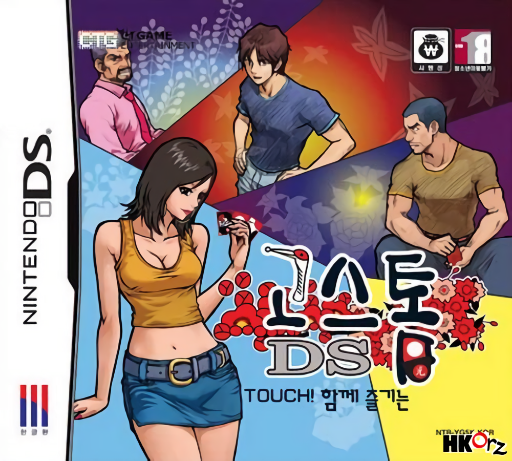
DS GoStop
Play DS GoStop online. Match Korean flower cards, build scoring collections and decide when to call Go or Stop.
Browser play
Nintendo DS (NDS) — EmulatorJS controls
Default Player 1 keyboard mapping. Change keys in Controller Settings.
| Console button | Keyboard |
|---|---|
| ↑ / ↓ / ← / → | ↑ / ↓ / ← / → |
| A / B / X / Y | Z / X / A / S |
| L / R | Q / E |
| START / SELECT | Enter / V |
| Microphone | Not assigned |
Open Controller Settings to configure your keyboard or gamepad. Touch controls are available on mobile.
How to Play DS GoStop
Quick start
Start a solo Go-Stop table and inspect the flowers on your hand and the shared layout. Match the same month to capture cards, then check collected scoring groups. When the game offers Go or Stop, compare your secured score with the risk of letting another player finish first.
Controls
Touch a hand card and select a matching table card when prompted. Confirm the capture if more than one matching target is offered. Use the displayed Go or Stop choice only when the scoring condition has been met, and inspect the collection area before deciding.
DS GoStop — About this game
DS GoStop adapts the Korean flower-card game to a touch-screen table. Match cards by month and plan captures that improve your collection of scoring cards, rather than taking any available pair without looking ahead. The flower pictures matter because cards in one month can have different scoring roles. After reaching the relevant score, continuing with Go can raise the stakes but gives opponents another chance; Stop secures the current result. Begin with the solo table and read its displayed rule options, since thresholds and bonuses can vary. Review your collected cards before making the central risk decision.
Cheats
No cheats have been added for this edition.
Player verification and sources
Browser play was reviewed before this edition was published in the catalogue. The date below is the catalogue publication date, not the game’s original release date.
- Browser test and catalogue publication date
- Browsers and devices
- PC: Chrome, Edge and Firefox. Mobile: Chrome on Android and Safari on iPhone and iPad.
- Player engine and core
- EmulatorJS 4.3.0-pre · nds
- Tested by
- rwEmulator
Sources and editorial basis
rwEmulator reviews edition metadata, release information, game manuals and first-hand browser-play notes. Available manuals are linked below; the editorial policy explains how facts are checked and corrections are handled.