More browsing paths
Play Dungeon Kid (Japan edition · Japanese) Online
Dungeon Kid
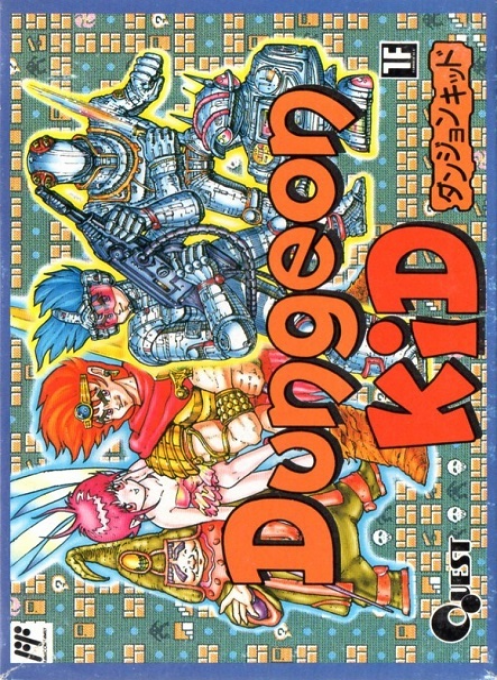
Play Dungeon Kid online. In addition to exploring the old castle with a party of three, create a 3D labyrinth with up to 8 floors, enemies, magic, and stories in EDIT mode.
Browser play
Nintendo Entertainment System (NES) / Famicom — EmulatorJS controls
Default Player 1 keyboard mapping. Change keys in Controller Settings.
| Console button | Keyboard |
|---|---|
| ↑ / ↓ / ← / → | ↑ / ↓ / ← / → |
| A / B | Z / X |
| START / SELECT | Enter / V |
Open Controller Settings to configure your keyboard or gamepad. Touch controls are available on mobile.
How to Play Dungeon Kid
Quick start
First, select a GAME and learn the movement and battle flow from the recorded scenarios. In the labyrinth, move forward at the top, turn left and right, and record branches and coordinates. Open the camp screen with A to check the equipment and status, and in battle, the turn begins immediately after deciding on the third person, so review everyone's orders while you can return with B. When proceeding to EDIT, make a prototype with only a small first floor map, a few enemies, and an exit, and check the traffic and events with a 3D trial walk before adding more levels and settings.
Controls
Title: Select GAME/EDIT with the cross button/SELECT, and confirm with A/START. Labyrinth: Move forward by pressing the cross button, turn backward by pressing down, and turn by pressing left and right. Press A to confirm/open camp, press B to cancel/close camp. Battle: Command with the cross button, confirm with A, return to previous input with B, display everyone's LV, HP, and MP with START. EDIT: Use the cross button to move the cursor, press A to confirm/place, and press B to cancel.
Dungeon Kid — About this game
"Dungeon Kid" is a work that has a GAME mode where you can play the recorded scenario "The Wizard of the Old Castle" and an EDIT mode where you can create your own 3D dungeon RPG. In the game, players form a party of the protagonist and two companions, and explore treasure chests, traps, and monsters in a first-person labyrinth. Combat is a command system where you specify attack, magic, escape, and tools for three people in order. In EDIT, you can draw a map of up to 30 x 30 blocks and up to 8 floors, and set characters, up to 40 enemies, weapons, armor, items, magic, events, sentences, and values. It also supports storage using cartridge areas and turbo files.
Cheats
No cheats have been added for this edition.
Player verification and sources
Browser play was reviewed before this edition was published in the catalogue. The date below is the catalogue publication date, not the game’s original release date.
- Browser test and catalogue publication date
- Browsers and devices
- PC: Chrome, Edge and Firefox. Mobile: Chrome on Android and Safari on iPhone and iPad.
- Player engine and core
- EmulatorJS 4.3.0-pre · nes
- Tested by
- rwEmulator
Sources and editorial basis
rwEmulator reviews edition metadata, release information, game manuals and first-hand browser-play notes. Available manuals are linked below; the editorial policy explains how facts are checked and corrections are handled.