More browsing paths
Play Eiken DS (Japan edition · Revision 2 · Japanese) Online
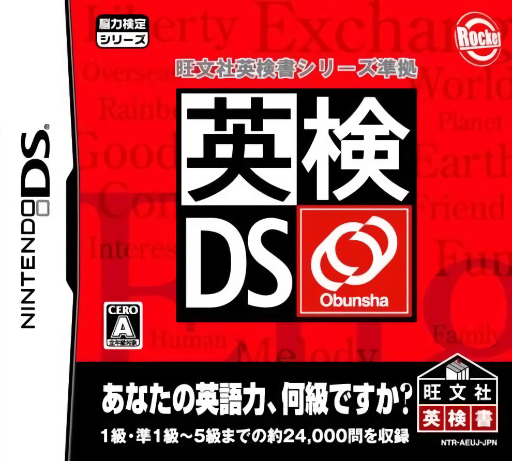
Eiken DS
Play Eiken DS online. Choose an English level and work through vocabulary, reading and listening questions.
Browser play
Nintendo DS (NDS) — EmulatorJS controls
Default Player 1 keyboard mapping. Change keys in Controller Settings.
| Console button | Keyboard |
|---|---|
| ↑ / ↓ / ← / → | ↑ / ↓ / ← / → |
| A / B / X / Y | Z / X / A / S |
| L / R | Q / E |
| START / SELECT | Enter / V |
| Microphone | Not assigned |
Open Controller Settings to configure your keyboard or gamepad. Touch controls are available on mobile.
How to Play Eiken DS
Quick start
Select a level and one Daily Training subject. Complete a short set, inspect the result and try Challenge before beginning a timed mock exam.
Controls
Use the displayed answer choices and writing area when requested. Select audio controls for listening practice and follow each mode’s timing and confirmation rules; read the review before leaving a completed set.
Eiken DS — About this game
Choose an English level and work through vocabulary, reading and listening questions. Daily Training isolates a subject, Eiken Challenge gives a broader check and the mock exam adds the pressure of its question format and time limit. English mini-games offer another pace between sets. Read the navigator’s suggestions after a round and decide whether to revisit one subject before attempting a full simulation.
Eiken DS Game manuals
Cheats
No cheats have been added for this edition.
Player verification and sources
Browser play was reviewed before this edition was published in the catalogue. The date below is the catalogue publication date, not the game’s original release date.
- Browser test and catalogue publication date
- Browsers and devices
- PC: Chrome, Edge and Firefox. Mobile: Chrome on Android and Safari on iPhone and iPad.
- Player engine and core
- EmulatorJS 4.3.0-pre · nds
- Tested by
- rwEmulator
Sources and editorial basis
rwEmulator reviews edition metadata, release information, game manuals and first-hand browser-play notes. Available manuals are linked below; the editorial policy explains how facts are checked and corrections are handled.