More browsing paths
Play Elvenland (Europe edition · English / French / German) Online
Elvenland
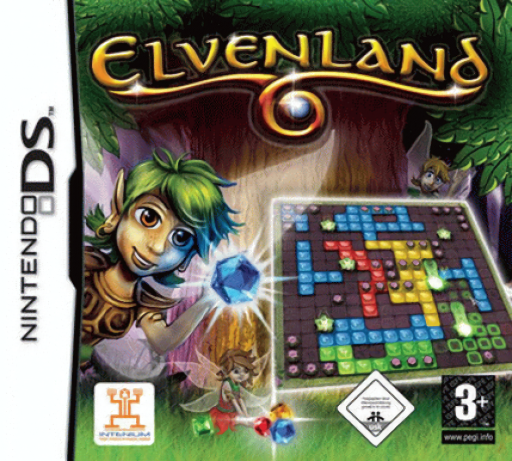
Play Elvenland online. Free elves trapped in flower buds by connecting the buds across a misty playing field.
Browser play
Nintendo DS (NDS) — EmulatorJS controls
Default Player 1 keyboard mapping. Change keys in Controller Settings.
| Console button | Keyboard |
|---|---|
| ↑ / ↓ / ← / → | ↑ / ↓ / ← / → |
| A / B / X / Y | Z / X / A / S |
| L / R | Q / E |
| START / SELECT | Enter / V |
| Microphone | Not assigned |
Open Controller Settings to configure your keyboard or gamepad. Touch controls are available on mobile.
How to Play Elvenland
Quick start
Open the first puzzle and locate every bud. Read the placement demonstration, make a short connection and inspect the remaining gaps before continuing.
Controls
Use the DS touch interface to select and place the displayed pieces. Follow the puzzle’s orientation and confirmation prompts and check the connection before placing the next piece.
Elvenland — About this game
Free elves trapped in flower buds by connecting the buds across a misty playing field. The available pieces shape the route, so look at the spaces between targets before committing to a placement. A level is finished when every bud has been connected. Begin with a short link, then keep enough room for the more awkward targets instead of filling the nearest empty space without a plan.
Elvenland Game manuals
Cheats
No cheats have been added for this edition.
Player verification and sources
Browser play was reviewed before this edition was published in the catalogue. The date below is the catalogue publication date, not the game’s original release date.
- Browser test and catalogue publication date
- Browsers and devices
- PC: Chrome, Edge and Firefox. Mobile: Chrome on Android and Safari on iPhone and iPad.
- Player engine and core
- EmulatorJS 4.3.0-pre · nds
- Tested by
- rwEmulator
Sources and editorial basis
rwEmulator reviews edition metadata, release information, game manuals and first-hand browser-play notes. Available manuals are linked below; the editorial policy explains how facts are checked and corrections are handled.