More browsing paths
Play Ener-G - Dance Squad (US edition · English / French / Spanish) Online
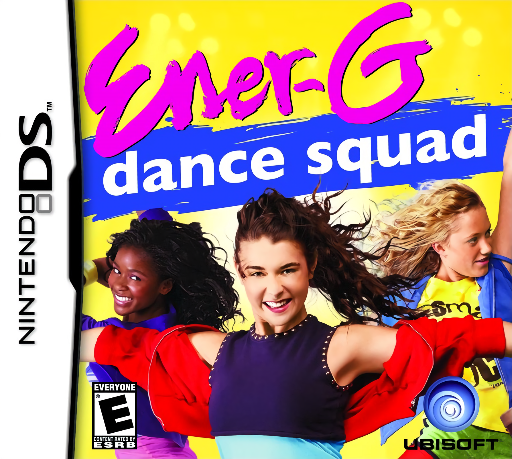
Ener-G - Dance Squad
Play Ener-G - Dance Squad online. Perform dance routines by completing stylus movements and earning enough points to clear each challenge.
Browser play
Nintendo DS (NDS) — EmulatorJS controls
Default Player 1 keyboard mapping. Change keys in Controller Settings.
| Console button | Keyboard |
|---|---|
| ↑ / ↓ / ← / → | ↑ / ↓ / ← / → |
| A / B / X / Y | Z / X / A / S |
| L / R | Q / E |
| START / SELECT | Enter / V |
| Microphone | Not assigned |
Open Controller Settings to configure your keyboard or gamepad. Touch controls are available on mobile.
How to Play Ener-G - Dance Squad
Quick start
Begin the first challenge and practise its basic move. Watch the score result, then try another routine only after you can recognise its gesture cues.
Controls
Tap and move the stylus as each dance icon demonstrates. Keep the gesture within the shown timing and use the microphone only for a move that explicitly requests it.
Ener-G - Dance Squad — About this game
Perform dance routines by completing stylus movements and earning enough points to clear each challenge. Later moves ask for more complex input, so learn the shape and rhythm of a move before relying on it in a performance. Watch the on-screen cue as well as the dancer, and aim to finish one gesture cleanly before the next begins. A routine can include a microphone action when its prompt appears.
Ener-G - Dance Squad Game manuals
Cheats
No cheats have been added for this edition.
Player verification and sources
Browser play was reviewed before this edition was published in the catalogue. The date below is the catalogue publication date, not the game’s original release date.
- Browser test and catalogue publication date
- Browsers and devices
- PC: Chrome, Edge and Firefox. Mobile: Chrome on Android and Safari on iPhone and iPad.
- Player engine and core
- EmulatorJS 4.3.0-pre · nds
- Tested by
- rwEmulator
Sources and editorial basis
rwEmulator reviews edition metadata, release information, game manuals and first-hand browser-play notes. Available manuals are linked below; the editorial policy explains how facts are checked and corrections are handled.