More browsing paths
Play English Buddy (Europe edition · English / French / German / Spanish / Italian / Dutch) Online
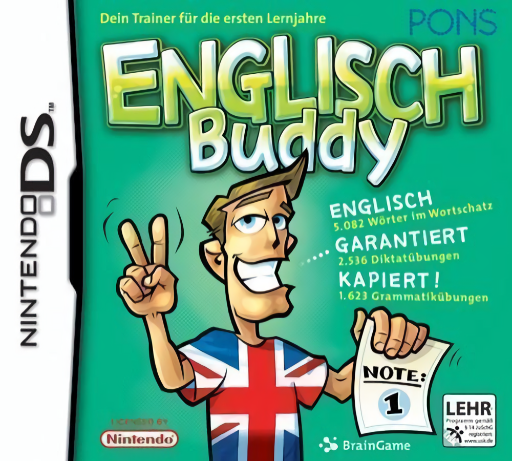
English Buddy
Play English Buddy online. Answer vocabulary and grammar challenges with Buddy, switching between recognising a word and writing what you hear.
Browser play
Nintendo DS (NDS) — EmulatorJS controls
Default Player 1 keyboard mapping. Change keys in Controller Settings.
| Console button | Keyboard |
|---|---|
| ↑ / ↓ / ← / → | ↑ / ↓ / ← / → |
| A / B / X / Y | Z / X / A / S |
| L / R | Q / E |
| START / SELECT | Enter / V |
| Microphone | Not assigned |
Open Controller Settings to configure your keyboard or gamepad. Touch controls are available on mobile.
How to Play English Buddy
Quick start
Choose a short vocabulary activity and read its example. Answer the first picture or dictation question, inspect the result and try a grammar exercise afterward.
Controls
Use the stylus to write in the requested answer area and select the displayed choices. Use audio replay, tips and dictionary options when shown, and confirm after checking the recognised text.
English Buddy — About this game
Answer vocabulary and grammar challenges with Buddy, switching between recognising a word and writing what you hear. A picture task asks for the English name of the object shown above, while grammar activities deal with word order and verb forms. Check the answer before moving to a different exercise type. The dictionary and tips can support a difficult question, but the task itself still asks you to supply an answer.
English Buddy Game manuals
Cheats
No cheats have been added for this edition.
Player verification and sources
Browser play was reviewed before this edition was published in the catalogue. The date below is the catalogue publication date, not the game’s original release date.
- Browser test and catalogue publication date
- Browsers and devices
- PC: Chrome, Edge and Firefox. Mobile: Chrome on Android and Safari on iPhone and iPad.
- Player engine and core
- EmulatorJS 4.3.0-pre · nds
- Tested by
- rwEmulator
Sources and editorial basis
rwEmulator reviews edition metadata, release information, game manuals and first-hand browser-play notes. Available manuals are linked below; the editorial policy explains how facts are checked and corrections are handled.