More browsing paths
Play F-14 Tomcat (US edition) Online
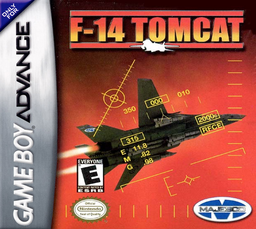
F-14 Tomcat
Play F-14 Tomcat online on GBA, launch from an aircraft carrier and complete air-combat missions with AWACS guidance and multiple weapons.
Browser play
Game Boy Advance (GBA) — EmulatorJS controls
Default Player 1 keyboard mapping. Change keys in Controller Settings.
| Console button | Keyboard |
|---|---|
| ↑ / ↓ / ← / → | ↑ / ↓ / ← / → |
| A / B | Z / X |
| L / R | Q / E |
| START / SELECT | Enter / V |
Open Controller Settings to configure your keyboard or gamepad. Touch controls are available on mobile.
How to Play F-14 Tomcat
Quick start
Choose Practice Landing first to learn the carrier approach, then start New Game on Novice. At launch, hold B+Up until thrust reaches 210% and the catapult releases the aircraft. Press SELECT after take-off to check the AWACS briefing and mission objective; complete it, return to the carrier and record the password shown after the mission.
Controls
Flight: Left/Right banks, Down climbs and Up dives; hold B with Up/Down to change thrust; A fires the selected weapon. Hold B and tap L/R to cycle weapons; L/R alone looks behind; hold L or R and press B to release a countermeasure. SELECT contacts AWACS and START pauses.
F-14 Tomcat Game manuals
Cheats
No cheats have been added for this edition.
Player verification and sources
Browser play was reviewed before this edition was published in the catalogue. The date below is the catalogue publication date, not the game’s original release date.
- Browser test and catalogue publication date
- Browsers and devices
- PC: Chrome, Edge and Firefox. Mobile: Chrome on Android and Safari on iPhone and iPad.
- Player engine and core
- EmulatorJS 4.3.0-pre · gba
- Tested by
- rwEmulator
Sources and editorial basis
rwEmulator reviews edition metadata, release information, game manuals and first-hand browser-play notes. Available manuals are linked below; the editorial policy explains how facts are checked and corrections are handled.