More browsing paths
Play F1 Circus (Japan edition · Japanese) Online
F1 Circus
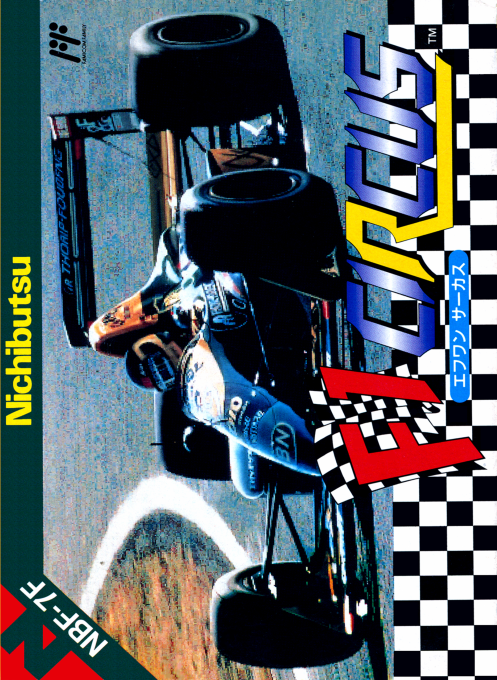
Play the Famicom version of ``F1 Circus'' online. Set up your car and compete in free runs, qualifying, and finals to become the champion of all 8 seasons.
Browser play
Nintendo Entertainment System (NES) / Famicom — EmulatorJS controls
Default Player 1 keyboard mapping. Change keys in Controller Settings.
| Console button | Keyboard |
|---|---|
| ↑ / ↓ / ← / → | ↑ / ↓ / ← / → |
| A / B | Z / X |
| START / SELECT | Enter / V |
Open Controller Settings to configure your keyboard or gamepad. Touch controls are available on mobile.
How to Play F1 Circus
Quick start
First, choose AT and memorize corner signs and brake positions using FREE RUN. Steering with left and right, acceleration with A, and brake with B. Don't go too far with the settings; make adjustments after completing the course. Use PRACTICE to create a safe qualifying time and advance to the finals. If you want to proceed to MT, the shift inputs are different for MANUAL 1 and 2, so make sure to operate the up/down/buttons as explained.
Controls
Common: Steering with left and right cross keys, accelerator with A, pause with START. ATはBでブレーキ。 MANUAL 1 is under the cross key to brake, A+B to shift up, B to downshift. In MANUAL 2, press B to brake, press up to shift up, and press down to downshift. While stopped, press down and press SELECT to retire. Outside of the race, proceed with A.
F1 Circus — About this game
The Famicom version of ``F1 Circus'' combines high-speed scrolling overhead racing with detailed machine adjustments. Adjust the wings, tires, suspension, gears, etc. to the course and weather, learn the sharp curves in FREE RUN, set a qualifying time in PRACTICE, and advance to the finals. You can select from three speed shifting methods: AT, MANUAL 1, and MANUAL 2. Run 15 races in one season and build long-term results over a total of 8 seasons. It is important to avoid contact and build up a stable position, including pits and settings.
Cheats
No cheats have been added for this edition.
Player verification and sources
Browser play was reviewed before this edition was published in the catalogue. The date below is the catalogue publication date, not the game’s original release date.
- Browser test and catalogue publication date
- Browsers and devices
- PC: Chrome, Edge and Firefox. Mobile: Chrome on Android and Safari on iPhone and iPad.
- Player engine and core
- EmulatorJS 4.3.0-pre · nes
- Tested by
- rwEmulator
Sources and editorial basis
rwEmulator reviews edition metadata, release information, game manuals and first-hand browser-play notes. Available manuals are linked below; the editorial policy explains how facts are checked and corrections are handled.