More browsing paths
Play Famicom Igo Nyuumon (Japan edition · Japanese) Online
Famicom Igo Nyuumon
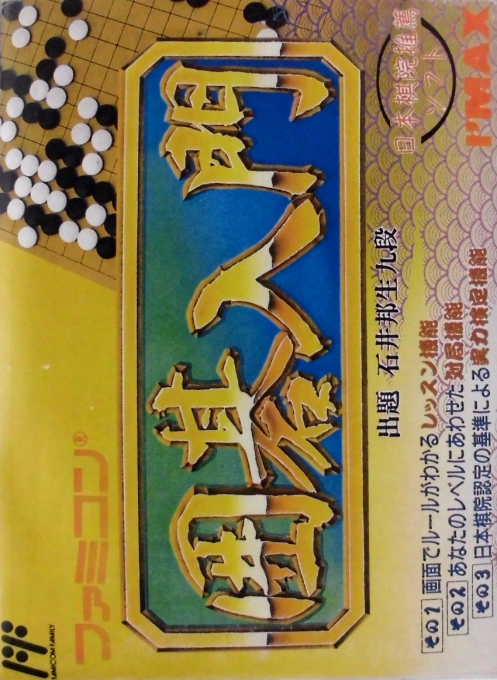
Play "Introduction to Famicom Go" online. At Rule Terakoya, you can learn the basics of Go, and then try a 19-track CPU game or a test that asks you what your next move will be.
Browser play
Nintendo Entertainment System (NES) / Famicom — EmulatorJS controls
Default Player 1 keyboard mapping. Change keys in Controller Settings.
| Console button | Keyboard |
|---|---|
| ↑ / ↓ / ← / → | ↑ / ↓ / ← / → |
| A / B | Z / X |
| START / SELECT | Enter / V |
Open Controller Settings to configure your keyboard or gamepad. Touch controls are available on mobile.
How to Play Famicom Igo Nyuumon
Quick start
If it's your first time, first select "Rule Terakoya" and check the conditions for stones to be taken, as well as hit and return. After that, select "Computer Battle" in "Play Game", set the stone, and start the game. Move the cursor on the board to the intersection using the cross button and press A to start. At the beginning, spread out the stones to the corners, then to the sides, and check every move to see if there are still breathing points around your stones. Once you get used to the basics, try the next one-move problem in "Kenken no Yakata" and review the incorrect forms in class.
Controls
Cross button: Select menu items, move the cursor on the board. A button: Decide on the item and start at the selected intersection. B button: Move back one step. START: Pause/resume the game. In a game, make sure the cursor is at the intersection, then press A, and in the menu, use the cross button to select the item.
Famicom Igo Nyuumon — About this game
``Introduction to Famicom Go'' is a table game that combines explanations and actual play for those learning Go for the first time. At ``Rule Terakoya,'' you can learn the conditions for taking stones, such as hit, shichō, geta, and kou, using board examples. In ``Let's play,'' you can use the 19-track board to challenge a game against the computer or a two-player game. In addition, the "Certification Hall" supervised by Kunio Ishii 9-dan has 20 questions to choose the next move, and you can be judged from grade 12 to grade 4 depending on your performance. Since the game uses a cursor to select intersection points and place stones, it is easy to understand the flow of the game if you first understand the connection between breathing points and stones in a lecture, and then start playing a game using placing stones.
Cheats
No cheats have been added for this edition.
Player verification and sources
Browser play was reviewed before this edition was published in the catalogue. The date below is the catalogue publication date, not the game’s original release date.
- Browser test and catalogue publication date
- Browsers and devices
- PC: Chrome, Edge and Firefox. Mobile: Chrome on Android and Safari on iPhone and iPad.
- Player engine and core
- EmulatorJS 4.3.0-pre · nes
- Tested by
- rwEmulator
Sources and editorial basis
rwEmulator reviews edition metadata, release information, game manuals and first-hand browser-play notes. Available manuals are linked below; the editorial policy explains how facts are checked and corrections are handled.