More browsing paths
Play Famicom Shogi: Ryū-Ō-Sen (Japan edition · Japanese) Online
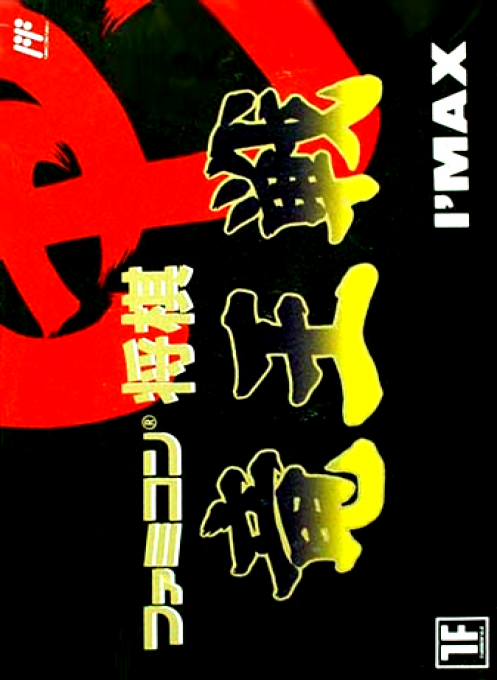
Famicom Shogi: Ryū-Ō-Sen
Play "Famicom Shogi Ryuo Sen" online. As an amateur representative, you can compete against professional players in tournaments and try your hand at 30-question Tsume Shogi and the Shogi Laboratory.
Browser play
Nintendo Entertainment System (NES) / Famicom — EmulatorJS controls
Default Player 1 keyboard mapping. Change keys in Controller Settings.
| Console button | Keyboard |
|---|---|
| ↑ / ↓ / ← / → | ↑ / ↓ / ← / → |
| A / B | Z / X |
| START / SELECT | Enter / V |
Open Controller Settings to configure your keyboard or gamepad. Touch controls are available on mobile.
How to Play Famicom Shogi: Ryū-Ō-Sen
Quick start
Press A on the title to display the 3 modes in order, and when the mode you want to play appears, press START. For the first time, we recommend that you choose a regular game in the Shogi Laboratory and get used to the board operations. Move the cursor to the piece you want to move using the cross button, grab it with A, and press A again at the destination. If you are in a situation where it can happen, select “Yes” at the top and “No” at the bottom and make your decision with A. In the Ryuo match, confirm the combination and proceed with START.In the early stages, move the gold and silver close to the ball, avoid losing pieces, and aim for the right to challenge by winning 3 times.
Controls
Cross button: Move cursor and pieces. A button: Decide, grab/place a piece. B button: Cancel, release the grabbed piece. START: Start the game or selected mode. SELECT: Displays the BGM ON/OFF selection window during a game. If you want to succeed, use the cross button to select ``Construct'' or the bottom button to select ``Not to complete'' and press A to confirm. In Tsume Shogi board settings, you can change the state and direction of the pieces by pressing B while holding the pieces.
Famicom Shogi: Ryū-Ō-Sen — About this game
"Famicom Shogi Ryuo-sen" is a shogi software that allows you to participate in shogi matches and play Tsume Shogi in addition to regular games. In the Ryuo tournament, we will set up a combination of seven professionals who have passed the qualifying rounds and one amateur to participate, and the players will advance as amateur representatives, aiming to challenge the Ryuo and win the title. Tsume Shogi contains 10 questions each for 3 moves, 5 moves, and 7 moves, for a total of 30 questions. In the shogi laboratory, you can set game conditions including between humans and computers, and there is also a function to ask questions of Tsume Shogi yourself. The game record, the number of moves, and the thinking time of both players are displayed on the board, allowing you to take your time while checking the flow of the game.
Cheats
No cheats have been added for this edition.
Player verification and sources
Browser play was reviewed before this edition was published in the catalogue. The date below is the catalogue publication date, not the game’s original release date.
- Browser test and catalogue publication date
- Browsers and devices
- PC: Chrome, Edge and Firefox. Mobile: Chrome on Android and Safari on iPhone and iPad.
- Player engine and core
- EmulatorJS 4.3.0-pre · nes
- Tested by
- rwEmulator
Sources and editorial basis
rwEmulator reviews edition metadata, release information, game manuals and first-hand browser-play notes. Available manuals are linked below; the editorial policy explains how facts are checked and corrections are handled.