More browsing paths
Play Famicom Yakyuu Ban (Japan edition · Japanese) Online
Famicom Yakyū-ban
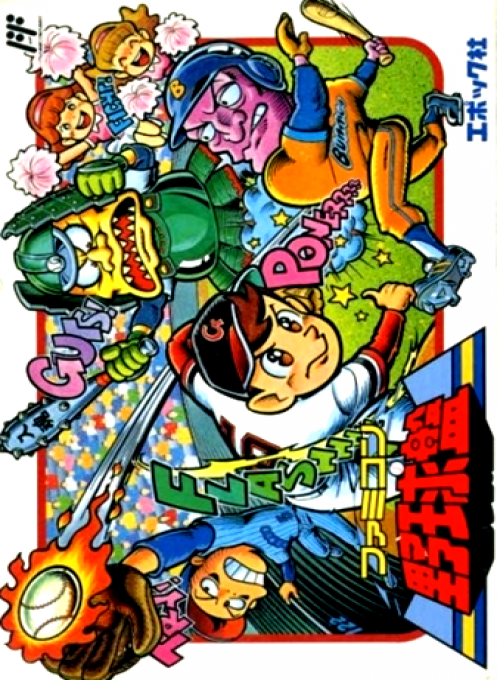
Play ``Famicom Baseball Board'' online. Develop players through matches and special training, and strengthen your team with tools. Challenge yourself to the exhibition game, the pennant, and the Japan Series, and enjoy the tactics of pitching, hitting, and running the bases.
Browser play
Nintendo Entertainment System (NES) / Famicom — EmulatorJS controls
Default Player 1 keyboard mapping. Change keys in Controller Settings.
| Console button | Keyboard |
|---|---|
| ↑ / ↓ / ← / → | ↑ / ↓ / ← / → |
| A / B | Z / X |
| START / SELECT | Enter / V |
Open Controller Settings to configure your keyboard or gamepad. Touch controls are available on mobile.
How to Play Famicom Yakyuu Ban
Quick start
Press START on the title, select "Open Battle 1P" using the up and down buttons, and press A to confirm. Choose the difficulty level from Beginner, Intermediate, and Advanced, and decide the team using directional input and A. Next, select the item you want to change using the direction and press A to confirm the settings for the starting lineup, pitcher, batting order, and ballpark. At bat, swing at A. The operation to move the runner forward is Direction + B, so be careful not to keep pressing A, which is the same as hitting, after hitting.
Controls
Before pitching, change your standing position between left and right and pitch at A. If you touch A with the top, it will be slow, if it is below, it will be faster, and the ball will bend left and right after being thrown. For defense, if you move the fielder based on the direction, the ball will be caught automatically. Throw the ball in direction +A, right = first base, top = second base, left = third base, bottom = home base. Direction +B is a touch play to the designated base. The batter changes his position depending on the direction, swinging at A and bunt at B. The runner advances to the designated base with Direction + B and returns with Direction + A. To steal a base, check the direction of the base you want to advance to before pitching and B twice. Press START to time, press again to cancel. Press A during time to open the list of player substitutions.
Famicom Yakyuu Ban — About this game
"Famicom Baseball Board" is a baseball game that adds player development and equipment purchase to the tactics of pitching and hitting. Athletes gain experience by participating in matches and training, and grow according to their individual talents. In official games, the revenue generated from the number of spectators can be used to strengthen weak points and procure equipment. You can choose 6 teams from 12 teams to form a league and aim for 30, 60, or 130 game pennants and the Japan Series championship. There are open games for one player and two players, so you can first get used to pitching and base running in short games, and then enjoy the challenge of building a long-term team.
Cheats
No cheats have been added for this edition.
Player verification and sources
Browser play was reviewed before this edition was published in the catalogue. The date below is the catalogue publication date, not the game’s original release date.
- Browser test and catalogue publication date
- Browsers and devices
- PC: Chrome, Edge and Firefox. Mobile: Chrome on Android and Safari on iPhone and iPad.
- Player engine and core
- EmulatorJS 4.3.0-pre · nes
- Tested by
- rwEmulator
Sources and editorial basis
rwEmulator reviews edition metadata, release information, game manuals and first-hand browser-play notes. Available manuals are linked below; the editorial policy explains how facts are checked and corrections are handled.