More browsing paths
Play Family Composer (Japan edition · Japanese) Online
Family Composer
Play the FDS version of ``Family Composer'' online. Create a song by setting the accompaniment, tone, tempo, and chords, then play the saved work on a graphic player.
Browser play
Nintendo Entertainment System (NES) / Famicom — EmulatorJS controls
Default Player 1 keyboard mapping. Change keys in Controller Settings.
| Console button | Keyboard |
|---|---|
| ↑ / ↓ / ← / → | ↑ / ↓ / ← / → |
| A / B | Z / X |
| START / SELECT | Enter / V |
Open Controller Settings to configure your keyboard or gamepad. Touch controls are available on mobile.
How to Play Family Composer
Quick start
After loading the disc, use the up and down arrow keys to select "1. COMPOSER" in the menu, and press START to confirm. Follow the on-screen instructions to change the disc to SIDE B and proceed to the composition screen. First, select the accompaniment and tone, and check the sound with real-time input to make it easier to understand the operation. When creating detailed notes, move the cursor on the score to set notes and chords for each beat. Once completed, record with SAVE, recall with LOAD, or play with GRAPHIC PLAYER.
Controls
In the menu, use the up and down arrow buttons to select an item, and press START to confirm. On the composition screen, use the cross button to move the cursor and selection position, and press A to select items and enter notes and chords. In chord input mode, hold down B and use the left and right arrow keys to move the beat to be set, use the arrow button to select a chord palette, and press A to place it. Exit code input mode with SELECT. Operations vary depending on the display on each screen, including real-time input, score input, and playback.
Family Composer — About this game
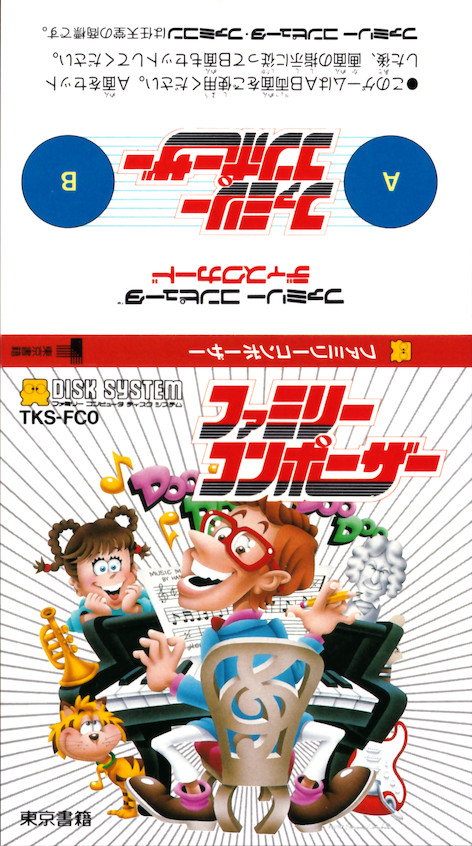
``Family Composer'' is music production software for the Famicom Disk System that allows you to enjoy composing and playing music using the Famicom controller. In the COMPOSER menu, you can set the accompaniment genre, tempo, tone, etc., and choose between easily layering melodies using real-time input, and arranging notes and chords for each beat. Because the system produces sounds that match the accompaniment, it's easy to put together a song even if you play freely, and you can even try out detailed compositions by specifying chord progressions and special symbols. In addition to saving the songs you create to disk and recalling them later with LOAD, you can also use GRAPHIC PLAYER to enjoy playing and adjusting the tempo while watching the seaside animation.
Cheats
No cheats have been added for this edition.
Player verification and sources
Browser play was reviewed before this edition was published in the catalogue. The date below is the catalogue publication date, not the game’s original release date.
- Browser test and catalogue publication date
- Browsers and devices
- PC: Chrome, Edge and Firefox. Mobile: Chrome on Android and Safari on iPhone and iPad.
- Player engine and core
- EmulatorJS 4.3.0-pre · nes
- Tested by
- rwEmulator
Sources and editorial basis
rwEmulator reviews edition metadata, release information, game manuals and first-hand browser-play notes. Available manuals are linked below; the editorial policy explains how facts are checked and corrections are handled.