More browsing paths
Play Family Jockey (Japan edition · Japanese) Online
Family Jockey
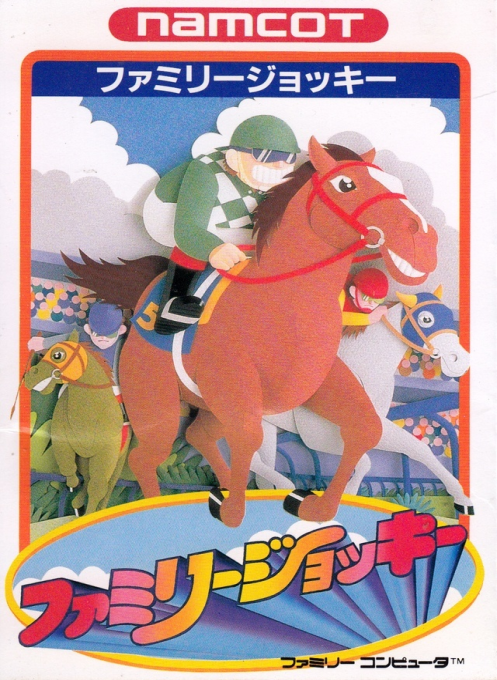
Play Famicom ``Family Jockey'' online. Choose a horse from 16 horses, overcome obstacles and stamina, and aim to win G1.
Browser play
Nintendo Entertainment System (NES) / Famicom — EmulatorJS controls
Default Player 1 keyboard mapping. Change keys in Controller Settings.
| Console button | Keyboard |
|---|---|
| ↑ / ↓ / ← / → | ↑ / ↓ / ← / → |
| A / B | Z / X |
| START / SELECT | Enter / V |
Open Controller Settings to configure your keyboard or gamepad. Touch controls are available on mobile.
How to Play Family Jockey
Quick start
Press start on the title, select a horse using the four-way controller, and press A to confirm. In a race, don't press A too many times from the beginning, change your path to collect carrots and stars, and press B before an obstacle to jump. Normally in a race, if you finish in the top 4, you can move on to the next race, so it is safe to prioritize finishing and finishing first, and then aim for G1 at the end of the race once your ability has improved.
Controls
D-pad: Menu selection/change course during the race. A: Decided/Insert the whip and accelerate. B: Cancelled/Jumped during the race. Start: Starting/pause during the race. Select: Switch pages on the horse selection screen.
Family Jockey — About this game
``Family Jockey'' is a horse racing action game where you choose a horse from 16 horses with different speed, stamina, jumping ability, etc., and win a six-horse race. The main focus is on picking up carrots and stars on the course to improve your abilities, avoiding obstacles, and using a whip while checking your remaining health. In a regular race, the aim is to finish in the top four and advance to the next race, ultimately aiming for a G1 victory. In addition to races, there are also two-player modes and family games where you compete for prizes.
Cheats
No cheats have been added for this edition.
Player verification and sources
Browser play was reviewed before this edition was published in the catalogue. The date below is the catalogue publication date, not the game’s original release date.
- Browser test and catalogue publication date
- Browsers and devices
- PC: Chrome, Edge and Firefox. Mobile: Chrome on Android and Safari on iPhone and iPad.
- Player engine and core
- EmulatorJS 4.3.0-pre · nes
- Tested by
- rwEmulator
Sources and editorial basis
rwEmulator reviews edition metadata, release information, game manuals and first-hand browser-play notes. Available manuals are linked below; the editorial policy explains how facts are checked and corrections are handled.