More browsing paths
Play Ferret Monogatari (Japan edition · Japanese) Online
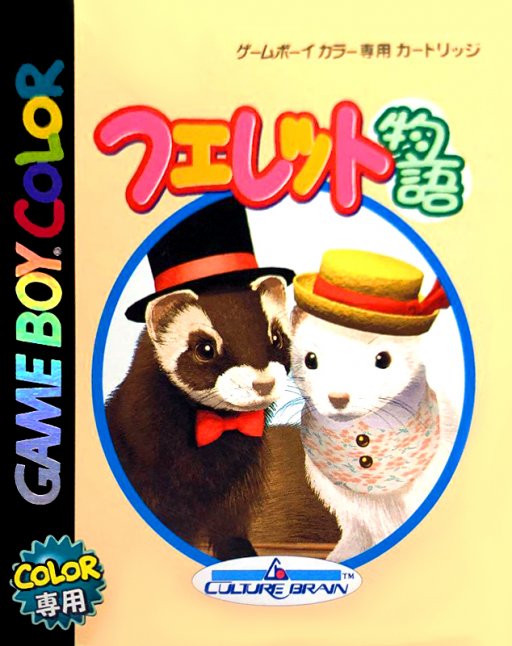
Ferret Monogatari
Play Ferret Monogatari online on Game Boy Color. Care for a virtual ferret in Ferret Monogatari, observing its reactions and using the available daily activities to develop the relationship. The pet's changing state gives each visit a reason to look before choosing a command.
Browser play
Game Boy Color (GBC) — EmulatorJS controls
Default Player 1 keyboard mapping. Change keys in Controller Settings.
| Console button | Keyboard |
|---|---|
| ↑ / ↓ / ← / → | ↑ / ↓ / ← / → |
| A / B | Z / X |
| START / SELECT | Enter / V |
Open Controller Settings to configure your keyboard or gamepad. Touch controls are available on mobile.
How to Play Ferret Monogatari
Quick start
Begin a new pet, read its initial state and choose a simple care interaction. Follow an introductory mini-game and inspect the result before repeating it.
Controls
D-pad selects care commands and options, A confirms and B returns where offered. Mini-games use their own displayed actions; read the current activity guide instead of assuming all pet tasks share controls.
Ferret Monogatari — About this game
Start by reading the condition display and the care options already available. Try one interaction and watch the response rather than selecting everything at once. Short mini-games can affect development, so learn one activity's instructions and compare the state afterwards.
Cheats
No cheats have been added for this edition.
Player verification and sources
Browser play was reviewed before this edition was published in the catalogue. The date below is the catalogue publication date, not the game’s original release date.
- Browser test and catalogue publication date
- Browsers and devices
- PC: Chrome, Edge and Firefox. Mobile: Chrome on Android and Safari on iPhone and iPad.
- Player engine and core
- EmulatorJS 4.3.0-pre · gb
- Tested by
- rwEmulator
Sources and editorial basis
rwEmulator reviews edition metadata, release information, game manuals and first-hand browser-play notes. Available manuals are linked below; the editorial policy explains how facts are checked and corrections are handled.