More browsing paths
Play Final Fantasy XII: Revenant Wings (US edition · English) Online
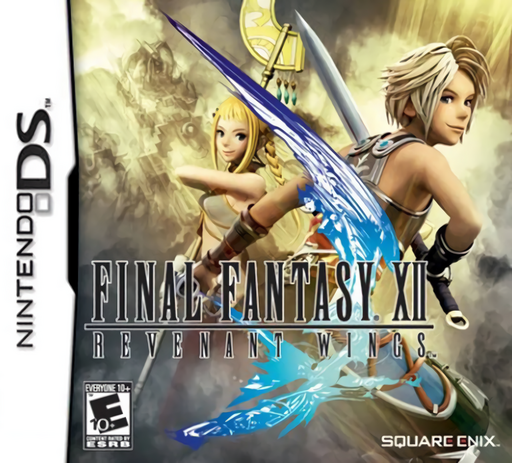
Final Fantasy XII - Revenant Wings
Play Final Fantasy XII: Revenant Wings online. Command Vaan's sky-pirate team in real time, select squads by touch and use summoned allies to capture the battlefield.
Browser play
Nintendo DS (NDS) — EmulatorJS controls
Default Player 1 keyboard mapping. Change keys in Controller Settings.
| Console button | Keyboard |
|---|---|
| ↑ / ↓ / ← / → | ↑ / ↓ / ← / → |
| A / B / X / Y | Z / X / A / S |
| L / R | Q / E |
| START / SELECT | Enter / V |
| Microphone | Not assigned |
Open Controller Settings to configure your keyboard or gamepad. Touch controls are available on mobile.
How to Play Final Fantasy XII: Revenant Wings
Quick start
Start a new game and follow Vaan into the Glabados Ruins tutorial. Tap Vaan to select him, then tap a destination to move or a Flan to attack. Advance through the ruins, meet Penelo and follow the new instructions as allies join. Practise selecting a group and changing its target before the final tutorial encounter. Read each mission objective; summoning and larger armies are introduced later.
Controls
In battle, tap a unit or drag around several to select them; tap ground to move and an enemy to attack. B deselects; X selects all friendly units; Y selects by group; D-pad moves the camera; A moves the camera to a friendly summoning gate when available. START pauses. Outside battle, D-pad moves Vaan, A talks/confirms and X opens the menu. L/R cycle pages or swap screens where indicated.
Final Fantasy XII: Revenant Wings — About this game
Revenant Wings follows Vaan and Penelo into a sky-pirate adventure built around real-time squad battles. You select leaders and their summoned allies, send them toward destinations and choose enemy targets while the fight continues. Melee, ranged and flying units have different strengths, so concentrating every squad on the nearest enemy is not always the best approach. Summoning gates become important points to control as the campaign expands, allowing reinforcements to shape the battle. Missions and airship preparations give the adventure a different rhythm from the original Final Fantasy XII. The DS Touch Screen is central to selecting groups and issuing orders, with physical shortcuts for quick selection and camera control.
Final Fantasy XII: Revenant Wings Game manuals
Cheats
No cheats have been added for this edition.
Player verification and sources
Browser play was reviewed before this edition was published in the catalogue. The date below is the catalogue publication date, not the game’s original release date.
- Browser test and catalogue publication date
- Browsers and devices
- PC: Chrome, Edge and Firefox. Mobile: Chrome on Android and Safari on iPhone and iPad.
- Player engine and core
- EmulatorJS 4.3.0-pre · nds
- Tested by
- rwEmulator
Sources and editorial basis
rwEmulator reviews edition metadata, release information, game manuals and first-hand browser-play notes. Available manuals are linked below; the editorial policy explains how facts are checked and corrections are handled.