More browsing paths
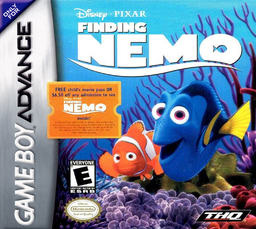
Play Disney•Pixar Finding Nemo (France edition) Online
Le Monde de Nemo
Play Disney•Pixar Finding Nemo online on GBA and guide Nemo, Marin and Dory through 12 underwater levels combining swimming, rings and special abilities.
Browser play
Game Boy Advance (GBA) — EmulatorJS controls
Default Player 1 keyboard mapping. Change keys in Controller Settings.
| Console button | Keyboard |
|---|---|
| ↑ / ↓ / ← / → | ↑ / ↓ / ← / → |
| A / B | Z / X |
| L / R | Q / E |
| START / SELECT | Enter / V |
Open Controller Settings to configure your keyboard or gamepad. Touch controls are available on mobile.
How to Play Disney•Pixar Finding Nemo
Quick start
Choose New Game to start the story in 12 levels. In First Day, follow Marin to Nemo's school, cross the bubble rings and collect the star rings while avoiding obstacles. Take advantage of this first ride to learn acceleration and tail kicking; Each completed level gives a password.
Controls
Directional pad: swim and browse menus; A: validate or suddenly accelerate; B: go back in menus, flick your tail, pick up an object or speak. START pauses the game. Follow the on-screen prompts when a level features character-specific action.
Disney•Pixar Finding Nemo Game manuals
Cheats
No cheats have been added for this edition.
Player verification and sources
Browser play was reviewed before this edition was published in the catalogue. The date below is the catalogue publication date, not the game’s original release date.
- Browser test and catalogue publication date
- Browsers and devices
- PC: Chrome, Edge and Firefox. Mobile: Chrome on Android and Safari on iPhone and iPad.
- Player engine and core
- EmulatorJS 4.3.0-pre · gba
- Tested by
- rwEmulator
Sources and editorial basis
rwEmulator reviews edition metadata, release information, game manuals and first-hand browser-play notes. Available manuals are linked below; the editorial policy explains how facts are checked and corrections are handled.