More browsing paths
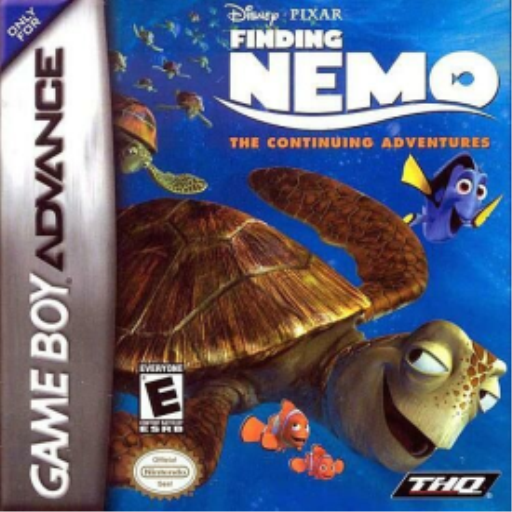
Play Disney•Pixar Finding Nemo: The Continuing Adventures (Germany edition) Online
Findet Nemo: Das Abenteuer Geht Weiter
Play Finding Nemo: The Continuing Adventures online on GBA and guide seven aquarium inhabitants back to the reef via four escape sections each.
Browser play
Game Boy Advance (GBA) — EmulatorJS controls
Default Player 1 keyboard mapping. Change keys in Controller Settings.
| Console button | Keyboard |
|---|---|
| ↑ / ↓ / ← / → | ↑ / ↓ / ← / → |
| A / B | Z / X |
| L / R | Q / E |
| START / SELECT | Enter / V |
Open Controller Settings to configure your keyboard or gamepad. Touch controls are available on mobile.
How to Play Disney•Pixar Finding Nemo: The Continuing Adventures
Quick start
Select “World Map”; At the beginning, Bubbles, Bloat and Peach's paths are open. Launch one of these and begin the escape from the dentist's office to the sea in Baggy Mode. Dodge cars, seagulls and crabs, jump with A and protect the bag's durability. Each of the seven figures has four sections before everyone returns to the reef.
Controls
Baggy Mode: Use the control pad to roll the water bag; B accelerates along with one direction, A jumps. START pauses and skips a scene when appropriate. Later game types display their own occupancy before starting.
Disney•Pixar Finding Nemo: The Continuing Adventures Game manuals
Cheats
No cheats have been added for this edition.
Player verification and sources
Browser play was reviewed before this edition was published in the catalogue. The date below is the catalogue publication date, not the game’s original release date.
- Browser test and catalogue publication date
- Browsers and devices
- PC: Chrome, Edge and Firefox. Mobile: Chrome on Android and Safari on iPhone and iPad.
- Player engine and core
- EmulatorJS 4.3.0-pre · gba
- Tested by
- rwEmulator
Sources and editorial basis
rwEmulator reviews edition metadata, release information, game manuals and first-hand browser-play notes. Available manuals are linked below; the editorial policy explains how facts are checked and corrections are handled.