More browsing paths
Play Florist Shop (US edition · English) Online
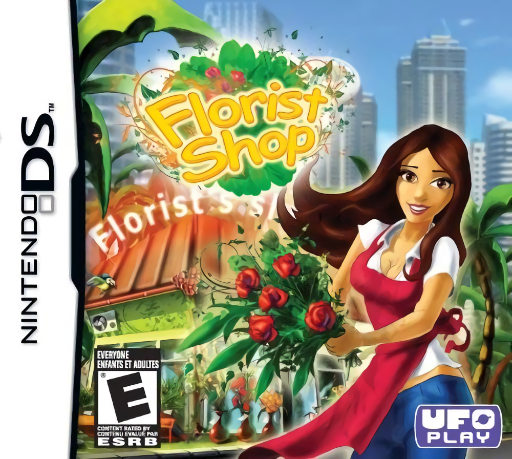
Florist Shop
Play Florist Shop online. Match flowers for the bouquets customers need before their patience runs out. See the Nintendo DS starting guide and controls.
Browser play
Nintendo DS (NDS) — EmulatorJS controls
Default Player 1 keyboard mapping. Change keys in Controller Settings.
| Console button | Keyboard |
|---|---|
| ↑ / ↓ / ← / → | ↑ / ↓ / ← / → |
| A / B / X / Y | Z / X / A / S |
| L / R | Q / E |
| START / SELECT | Enter / V |
| Microphone | Not assigned |
Open Controller Settings to configure your keyboard or gamepad. Touch controls are available on mobile.
How to Play Florist Shop
Quick start
Choose Adventure for the first shop lesson or Relaxed to practice. Read an order, match its flower types and complete that bouquet before tackling the next request.
Controls
Use the stylus to swap neighboring blossoms and select order or bouquet controls. Watch the customer display as well as the lower board, and confirm the requested arrangement when enough flowers are collected.
Florist Shop — About this game
Florist Shop combines a flower-matching board with a queue of customers. Swap adjacent blossoms into rows of three or more to gather the flowers needed for the current bouquets. The best move depends on the orders above, so a large match of an unneeded flower may be less useful than a smaller required one. Help Rose build the business through Adventure, or use Relaxed play to learn the matching rhythm. Start by checking one order, collecting its ingredients and completing it before spreading attention across every waiting customer.
Florist Shop Game manuals
Cheats
No cheats have been added for this edition.
Player verification and sources
Browser play was reviewed before this edition was published in the catalogue. The date below is the catalogue publication date, not the game’s original release date.
- Browser test and catalogue publication date
- Browsers and devices
- PC: Chrome, Edge and Firefox. Mobile: Chrome on Android and Safari on iPhone and iPad.
- Player engine and core
- EmulatorJS 4.3.0-pre · nds
- Tested by
- rwEmulator
Sources and editorial basis
rwEmulator reviews edition metadata, release information, game manuals and first-hand browser-play notes. Available manuals are linked below; the editorial policy explains how facts are checked and corrections are handled.