More browsing paths
Play Ford Racing 3 (US edition · English) Online
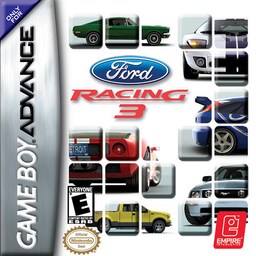
Ford Racing 3
Play Ford Racing 3 online for Game Boy Advance. Race licensed Ford classics, performance cars and off-road vehicles through Quick Race, Competition and Challenge events including Boost, Elimination, Drafting and Time Attack.
Browser play
Game Boy Advance (GBA) — EmulatorJS controls
Default Player 1 keyboard mapping. Change keys in Controller Settings.
| Console button | Keyboard |
|---|---|
| ↑ / ↓ / ← / → | ↑ / ↓ / ← / → |
| A / B | Z / X |
| L / R | Q / E |
| START / SELECT | Enter / V |
Open Controller Settings to configure your keyboard or gamepad. Touch controls are available on mobile.
How to Play Ford Racing 3
Quick start
Press START, choose Quick Race, then select a vehicle class, car, race type and track. Your first practical goal is to finish the Standard Race ahead of the field; brake before turning, steer through the apex, then accelerate out. In Boost or Racing Line events, save boost for a straight rather than triggering it while cornering.
Controls
D-pad Left/Right: steer; D-pad in menus: highlight options. A: accelerate and confirm. B: brake/reverse and cancel. R: use boost when the event provides it. START: pause/resume; on the title screen, enter the menu. Use the on-screen event brief to check special rules such as drafting, overtaking or elimination.
Cheats
No cheats have been added for this edition.
Player verification and sources
Browser play was reviewed before this edition was published in the catalogue. The date below is the catalogue publication date, not the game’s original release date.
- Browser test and catalogue publication date
- Browsers and devices
- PC: Chrome, Edge and Firefox. Mobile: Chrome on Android and Safari on iPhone and iPad.
- Player engine and core
- EmulatorJS 4.3.0-pre · gba
- Tested by
- rwEmulator
Sources and editorial basis
rwEmulator reviews edition metadata, release information, game manuals and first-hand browser-play notes. Available manuals are linked below; the editorial policy explains how facts are checked and corrections are handled.