More browsing paths
Play Frogger 2 (US edition · English) Online
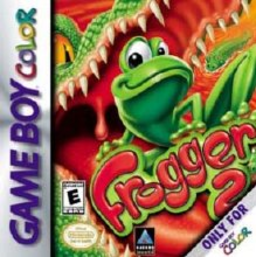
Frogger 2
Play Frogger 2 online for GBC. Guide Frogger or Lillie through scrolling hazards, collect gems and rescue the babies hidden in treasure rooms.
Browser play
Game Boy Color (GBC) — EmulatorJS controls
Default Player 1 keyboard mapping. Change keys in Controller Settings.
| Console button | Keyboard |
|---|---|
| ↑ / ↓ / ← / → | ↑ / ↓ / ← / → |
| A / B | Z / X |
| START / SELECT | Enter / V |
Open Controller Settings to configure your keyboard or gamepad. Touch controls are available on mobile.
How to Play Frogger 2
Quick start
Press START to reach the player screen, choose an empty save slot and confirm with START. Enter a name when prompted, then choose Play from the main options with START. Begin in The Pond, cross the traffic using gaps and follow safe platforms toward the exit. Touch checkpoints as you go; collect gems and use A or B when you need the game's tips.
Controls
The D-pad hops Frogger or Lillie up, down, left or right. START selects options and pauses or resumes play. A or B displays game tips; A also enters the selected character during name entry. Menu up/down chooses an option, and left/right changes available settings. The GBC game uses directional hopping, not the console version's jump-button scheme.
Frogger 2 — About this game
Each level ends at an exit, but reaching it requires reading moving platforms, traffic and environmental hazards while watching the timer. Gems offer points, time and clues to the missing babies. A world's treasure room asks you to collect every gem before the baby appears. Checkpoints determine where you restart after losing a life; Continue Points determine the level used when returning to a saved game. Three save slots keep separate progress, and Guest Player lets you play without changing them. The character option selects Frogger or Lillie.
Frogger 2 Game manuals
Cheats
No cheats have been added for this edition.
Player verification and sources
Browser play was reviewed before this edition was published in the catalogue. The date below is the catalogue publication date, not the game’s original release date.
- Browser test and catalogue publication date
- Browsers and devices
- PC: Chrome, Edge and Firefox. Mobile: Chrome on Android and Safari on iPhone and iPad.
- Player engine and core
- EmulatorJS 4.3.0-pre · gb
- Tested by
- rwEmulator
Sources and editorial basis
rwEmulator reviews edition metadata, release information, game manuals and first-hand browser-play notes. Available manuals are linked below; the editorial policy explains how facts are checked and corrections are handled.