More browsing paths
Play Front Mission (US edition · English) Online
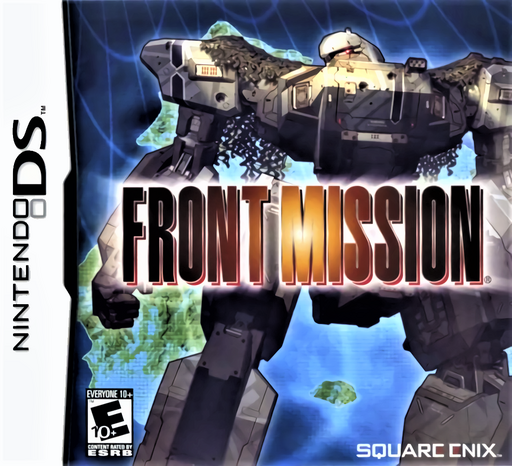
Front Mission
Play Front Mission online. Customise wanzers, inspect weapon ranges and lead tactical battles. Start the original DS tutorial and learn its controls.
Browser play
Nintendo DS (NDS) — EmulatorJS controls
Default Player 1 keyboard mapping. Change keys in Controller Settings.
| Console button | Keyboard |
|---|---|
| ↑ / ↓ / ← / → | ↑ / ↓ / ← / → |
| A / B / X / Y | Z / X / A / S |
| L / R | Q / E |
| START / SELECT | Enter / V |
| Microphone | Not assigned |
Open Controller Settings to configure your keyboard or gamepad. Touch controls are available on mobile.
How to Play Front Mission
Quick start
Choose New Game and play the offered tutorial. Begin the O.C.U. scenario, follow the opening briefing and select a friendly wanzer. Use Y for the free cursor to inspect enemies, then move within the selected weapon's range and choose an attack. After returning to town, compare parts and the machine's weight before buying upgrades.
Controls
Use the D-pad to move the cursor or select commands, A to confirm/advance text and B to cancel or close a window. In battle, Y toggles free cursor, X shows the selected machine, L/R switch units and START opens the system window. In shops X shows item help. With the stylus, touch a menu command and its check mark to confirm; hold the stylus down to advance text faster.
Front Mission — About this game
The war is fought through machines whose separate parts matter as much as their pilots. A wanzer combines a body, arms, legs and weapons, so a new part changes more than its appearance: durability, movement, weight and weapon performance must fit the job you want it to do. Missions place these machines on a tactical grid, where positioning and weapon range determine who can engage effectively. Between battles, shops and setup screens let you turn rewards into a more capable squad. The DS version includes O.C.U. and U.C.S. scenarios, presenting the conflict from different sides. Touch menus and a free cursor make it possible to inspect units before deciding where to commit them. Learning to read part condition and range is a more useful first step than buying every expensive component immediately.
Front Mission Game manuals
Cheats
No cheats have been added for this edition.
Player verification and sources
Browser play was reviewed before this edition was published in the catalogue. The date below is the catalogue publication date, not the game’s original release date.
- Browser test and catalogue publication date
- Browsers and devices
- PC: Chrome, Edge and Firefox. Mobile: Chrome on Android and Safari on iPhone and iPad.
- Player engine and core
- EmulatorJS 4.3.0-pre · nds
- Tested by
- rwEmulator
Sources and editorial basis
rwEmulator reviews edition metadata, release information, game manuals and first-hand browser-play notes. Available manuals are linked below; the editorial policy explains how facts are checked and corrections are handled.