More browsing paths
Play Gachasute! Dino Device 2: Phoenix (Japan edition · Japanese) Online
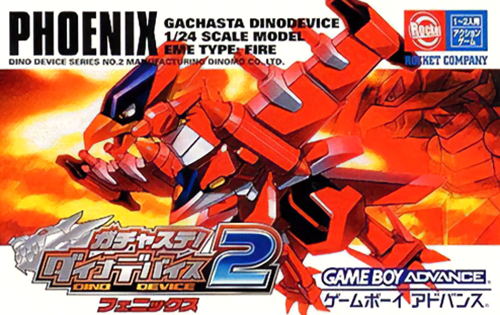
ガチャステ!ダイナデバイス2 フェニックス
Play GBA "Gachasute! Dino Device 2: Phoenix" online. Collect the Phoenix version of Dyna and its parts in gacha, rearrange the 5 parts, and win the 3x6 action battle.
Browser play
Game Boy Advance (GBA) — EmulatorJS controls
Default Player 1 keyboard mapping. Change keys in Controller Settings.
| Console button | Keyboard |
|---|---|
| ↑ / ↓ / ← / → | ↑ / ↓ / ← / → |
| A / B | Z / X |
| L / R | Q / E |
| START / SELECT | Enter / V |
Open Controller Settings to configure your keyboard or gamepad. Touch controls are available on mobile.
How to Play Gachasute! Dino Device 2: Phoenix
Quick start
Select "From the beginning" as the title, and after setting and introducing the main character, proceed to the first practice match. The basic flow is to play through practice matches, tournaments, and city boss battles, aiming for the next city. In the early stages, use your left and right arms within your equipment level to move 3x6 squares to avoid attacks and then shoot back. Use the gold and coins you get from winning at the gacha station to collect Dyna and her parts that appear in the Phoenix version.
Controls
Cross button: Move town/menu/3x6 squares during battle. A: Determined, right-hand weapon in battle. B: Cancel/Return, left-handed weapon in battle. L/R: Special move. START: Pause/Menu. On the equipment screen, use the cross button to select the head, torso, left and right arms, and legs, press A to equip, and press B to return.
Cheats
No cheats have been added for this edition.
Player verification and sources
Browser play was reviewed before this edition was published in the catalogue. The date below is the catalogue publication date, not the game’s original release date.
- Browser test and catalogue publication date
- Browsers and devices
- PC: Chrome, Edge and Firefox. Mobile: Chrome on Android and Safari on iPhone and iPad.
- Player engine and core
- EmulatorJS 4.3.0-pre · gba
- Tested by
- rwEmulator
Sources and editorial basis
rwEmulator reviews edition metadata, release information, game manuals and first-hand browser-play notes. Available manuals are linked below; the editorial policy explains how facts are checked and corrections are handled.