More browsing paths
Play Gachasute! Dino Device Blue (Japan edition · Japanese) Online
ガチャステ!ダイナデバイス ブルー
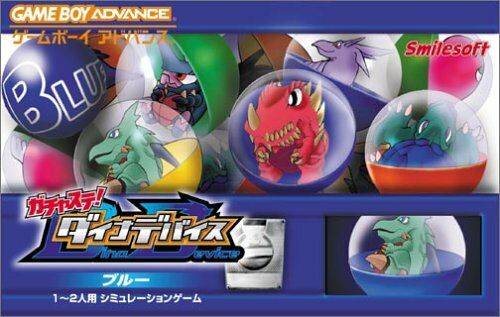
Let's play GBA "Gachasute! Dino Device Blue" online. This is a training simulation RPG that starts with a water-attribute Toriman, and progresses through the training of Dyna, town building, device development, and grid-style battles that hide their true identities.
Browser play
Game Boy Advance (GBA) — EmulatorJS controls
Default Player 1 keyboard mapping. Change keys in Controller Settings.
| Console button | Keyboard |
|---|---|
| ↑ / ↓ / ← / → | ↑ / ↓ / ← / → |
| A / B | Z / X |
| L / R | Q / E |
| START / SELECT | Enter / V |
Open Controller Settings to configure your keyboard or gamepad. Touch controls are available on mobile.
How to Play Gachasute! Dino Device Blue
Quick start
After starting up, you will first see a PDA-like "Dynapad", so select "Dyna Device" from the menu and start the main story from the opening and title. Enter your name, nickname, and birthday to determine the emblem, and in the blue version, you will receive a water attribute centaur "Toriman", 5000 bits, and a shop kit from Nabu. At first, your goal is to place facilities according to the tutorial and increase the number of resident Dinas to 5 at the center gacha station or in the town. When there are 5 characters, talk to Yurie and select "Yes" to proceed to the first battle tutorial. Dinas of the same type prefer similar terrain, so it will be easier to manage them if you live together.
Controls
Use the cross button to select the Dynapad icon, town square, battle command, and target, press the A button to confirm, talk, investigate, or execute the command, and the B button to cancel or return to the previous screen. START is used to start the title and to confirm the progress of each mode. In battle, select ``Ido'', ``Kougeki'', ``Trap'', ``Treasure'', and ``Tokushu'' with the cross and A, and return the selection with B. In town, if you select the Birdis type with L and ride it, you can move across all terrain. You can display the rules of the Dynapad minigame by pressing R, and in Mine Sweeper, you can mark dangerous squares by pressing B.
Cheats
No cheats have been added for this edition.
Player verification and sources
Browser play was reviewed before this edition was published in the catalogue. The date below is the catalogue publication date, not the game’s original release date.
- Browser test and catalogue publication date
- Browsers and devices
- PC: Chrome, Edge and Firefox. Mobile: Chrome on Android and Safari on iPhone and iPad.
- Player engine and core
- EmulatorJS 4.3.0-pre · gba
- Tested by
- rwEmulator
Sources and editorial basis
rwEmulator reviews edition metadata, release information, game manuals and first-hand browser-play notes. Available manuals are linked below; the editorial policy explains how facts are checked and corrections are handled.