More browsing paths
Play 4-in-1 Fun Pak (Japan edition · English) Online
4-in-1 Fun Pak
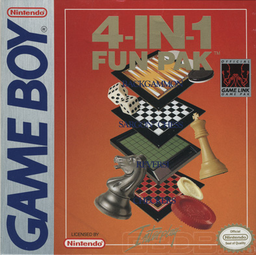
Play 4-in-1 Fun Pak online. Choose chess, checkers, reversi or backgammon in a collection built around thoughtful turns. Play the computer at different strengths or face another player.
Browser play
Game Boy (GB) — EmulatorJS controls
Default Player 1 keyboard mapping. Change keys in Controller Settings.
| Console button | Keyboard |
|---|---|
| ↑ / ↓ / ← / → | ↑ / ↓ / ← / → |
| A / B | Z / X |
| START / SELECT | Enter / V |
Open Controller Settings to configure your keyboard or gamepad. Touch controls are available on mobile.
How to Play 4-in-1 Fun Pak
Quick start
Choose a game, select one player and a low computer strength, then use A to select a piece and its destination.
Controls
Directional pad: move the cursor. A: select a piece or confirm its destination. SELECT: open special options. START: pause.
4-in-1 Fun Pak — About this game
Choose chess, checkers, reversi or backgammon in a collection built around thoughtful turns. Play the computer at different strengths or face another player. Piece selection and available options follow each game's rules, so study legal moves before committing. Takeback and side-switching options let you explore another approach without starting the entire collection again.
4-in-1 Fun Pak Game manuals
Cheats
No cheats have been added for this edition.
Player verification and sources
Browser play was reviewed before this edition was published in the catalogue. The date below is the catalogue publication date, not the game’s original release date.
- Browser test and catalogue publication date
- Browsers and devices
- PC: Chrome, Edge and Firefox. Mobile: Chrome on Android and Safari on iPhone and iPad.
- Player engine and core
- EmulatorJS 4.3.0-pre · gb
- Tested by
- rwEmulator
Sources and editorial basis
rwEmulator reviews edition metadata, release information, game manuals and first-hand browser-play notes. Available manuals are linked below; the editorial policy explains how facts are checked and corrections are handled.