More browsing paths
Play Art School Pocket (Aftermarket / Homebrew · Germany edition · German) Online
Art School Pocket
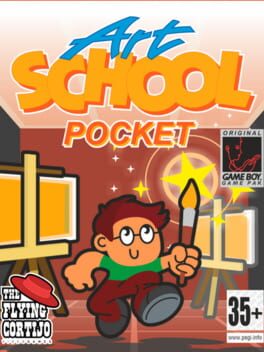
Play Art School Pocket online. Explore an art school, trade items with classmates and collect painting supplies before the final exam. Includes controls and saving tips.
Browser play
Game Boy (GB) — EmulatorJS controls
Default Player 1 keyboard mapping. Change keys in Controller Settings.
| Console button | Keyboard |
|---|---|
| ↑ / ↓ / ← / → | ↑ / ↓ / ← / → |
| A / B | Z / X |
| START / SELECT | Enter / V |
Open Controller Settings to configure your keyboard or gamepad. Touch controls are available on mobile.
How to Play Art School Pocket
Quick start
Choose NEW GAME for a fresh run, or LOAD GAME to resume. Explore the school and use A to talk or examine nearby objects. Check your belongings with START, then return to classmates when you have something useful. Save at the sculpture on the ground floor before leaving.
Controls
D-pad: move. A: interact or perform the available action. START: open the inventory. Interact with the ground-floor sculpture to save; choose LOAD GAME on the title screen to continue.
Art School Pocket — About this game
Your diploma depends on getting ready for an exam you have barely prepared for. Search the school, find people who can help and work out which objects will solve their requests. Conversations and item exchanges reveal how to prepare for the final exam. START opens the inventory so you can check what you have collected. The rough sculpture in the middle of the ground floor saves your progress; LOAD GAME resumes that save. There is only one save slot, and choosing NEW GAME deletes the previous run.
Art School Pocket Game manuals
Cheats
No cheats have been added for this edition.
Player verification and sources
Browser play was reviewed before this edition was published in the catalogue. The date below is the catalogue publication date, not the game’s original release date.
- Browser test and catalogue publication date
- Browsers and devices
- PC: Chrome, Edge and Firefox. Mobile: Chrome on Android and Safari on iPhone and iPad.
- Player engine and core
- EmulatorJS 4.3.0-pre · gb
- Tested by
- rwEmulator
Sources and editorial basis
rwEmulator reviews edition metadata, release information, game manuals and first-hand browser-play notes. Available manuals are linked below; the editorial policy explains how facts are checked and corrections are handled.