More browsing paths
Play Atomic Punk (US edition · English) Online
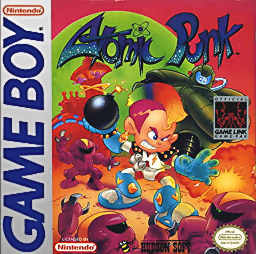
Atomic Punk
Play Atomic Punk online on Game Boy. Atomic Punk combines the familiar bomb maze with a campaign built around towns and selectable power-up panels.
Browser play
Game Boy (GB) — EmulatorJS controls
Default Player 1 keyboard mapping. Change keys in Controller Settings.
| Console button | Keyboard |
|---|---|
| ↑ / ↓ / ← / → | ↑ / ↓ / ← / → |
| A / B | Z / X |
| START / SELECT | Enter / V |
Open Controller Settings to configure your keyboard or gamepad. Touch controls are available on mobile.
How to Play Atomic Punk
Quick start
Press START to begin. Begin with Game A to see the town and panel system, or Game B for the classic rules. Place one bomb, move around a solid corner and wait for the blast to end before entering the cleared corridor.
Controls
D-pad: move. A: place a bomb. B: detonate after obtaining the remote-control unit. SELECT: move the menu cursor. START: confirm, start or pause.
Atomic Punk — About this game
Atomic Punk combines the familiar bomb maze with a campaign built around towns and selectable power-up panels. Clear enemies, break blocks and leave room to escape your own blasts. The campaign’s panel choices change what you bring into a round, while a separate classic mode offers a more direct Bomberman challenge.
Begin with Game A to see the town and panel system, or Game B for the classic rules. Place one bomb, move around a solid corner and wait for the blast to end before entering the cleared corridor.
Atomic Punk Game manuals
Cheats
No cheats have been added for this edition.
Player verification and sources
Browser play was reviewed before this edition was published in the catalogue. The date below is the catalogue publication date, not the game’s original release date.
- Browser test and catalogue publication date
- Browsers and devices
- PC: Chrome, Edge and Firefox. Mobile: Chrome on Android and Safari on iPhone and iPad.
- Player engine and core
- EmulatorJS 4.3.0-pre · gb
- Tested by
- rwEmulator
Sources and editorial basis
rwEmulator reviews edition metadata, release information, game manuals and first-hand browser-play notes. Available manuals are linked below; the editorial policy explains how facts are checked and corrections are handled.