More browsing paths
Play B.C. Kid (Europe edition · English) Online
B.C. Kid
Play B.C. Kid online on Game Boy. B.C.
Browser play
Game Boy (GB) — EmulatorJS controls
Default Player 1 keyboard mapping. Change keys in Controller Settings.
| Console button | Keyboard |
|---|---|
| ↑ / ↓ / ← / → | ↑ / ↓ / ← / → |
| A / B | Z / X |
| START / SELECT | Enter / V |
Open Controller Settings to configure your keyboard or gamepad. Touch controls are available on mobile.
How to Play B.C. Kid
Quick start
Press START to begin. Practise a jump followed by a head-butt before approaching enemies near a pit. Watch flowers and vertical surfaces for alternative paths, and adjust the landing before chasing food or another target.
Controls
D-pad: move. A: jump or climb a gripped wall. B: head-butt; jump and hold B for an aerial spin. START: start the game.
B.C. Kid — About this game
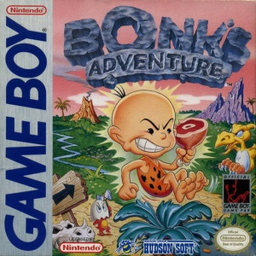
B.C. Kid puts Bonk’s hard head at the centre of a prehistoric platform adventure. Jump over hazards, head-butt enemies and use flowers or climbable surfaces to reach new routes. Food can change Bonk’s strength, while careful aerial positioning lets the same head-butt serve as an attack and a way to handle awkward terrain.
Practise a jump followed by a head-butt before approaching enemies near a pit. Watch flowers and vertical surfaces for alternative paths, and adjust the landing before chasing food or another target.
B.C. Kid Game manuals
Cheats
No cheats have been added for this edition.
Player verification and sources
Browser play was reviewed before this edition was published in the catalogue. The date below is the catalogue publication date, not the game’s original release date.
- Browser test and catalogue publication date
- Browsers and devices
- PC: Chrome, Edge and Firefox. Mobile: Chrome on Android and Safari on iPhone and iPad.
- Player engine and core
- EmulatorJS 4.3.0-pre · gb
- Tested by
- rwEmulator
Sources and editorial basis
rwEmulator reviews edition metadata, release information, game manuals and first-hand browser-play notes. Available manuals are linked below; the editorial policy explains how facts are checked and corrections are handled.