More browsing paths
Play Bomberman GB 3 (SGB Enhanced · Japan edition · Japanese · Edition 150478) Online
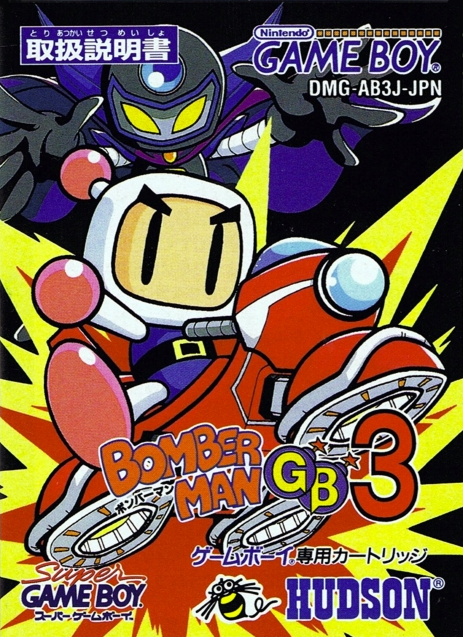
Bomberman GB 3
Play Bomberman GB 3 online. Bomberman sets out to reclaim stolen Bomber Capsules and stop Evil Bomber. Place bombs to break soft blocks and defeat enemies, leaving a safe path outside the blast.
Browser play
Game Boy (GB) — EmulatorJS controls
Default Player 1 keyboard mapping. Change keys in Controller Settings.
| Console button | Keyboard |
|---|---|
| ↑ / ↓ / ← / → | ↑ / ↓ / ← / → |
| A / B | Z / X |
| START / SELECT | Enter / V |
Open Controller Settings to configure your keyboard or gamepad. Touch controls are available on mobile.
How to Play Bomberman GB 3
Quick start
Choose Story mode and read the first mission. Place one bomb with A and step back around a corner before the explosion.
Controls
Directional pad: move. A: place a bomb. B: stop a kicked bomb after obtaining the relevant ability. START: pause.
Bomberman GB 3 — About this game
Bomberman sets out to reclaim stolen Bomber Capsules and stop Evil Bomber. Place bombs to break soft blocks and defeat enemies, leaving a safe path outside the blast. Stages introduce missions beyond simply clearing opponents, and bosses test the abilities you have collected. Moto Bomber machines add movement tools, so read each mission before choosing how to explore the map.
Bomberman GB 3 Game manuals
Cheats
No cheats have been added for this edition.
Player verification and sources
Browser play was reviewed before this edition was published in the catalogue. The date below is the catalogue publication date, not the game’s original release date.
- Browser test and catalogue publication date
- Browsers and devices
- PC: Chrome, Edge and Firefox. Mobile: Chrome on Android and Safari on iPhone and iPad.
- Player engine and core
- EmulatorJS 4.3.0-pre · gb
- Tested by
- rwEmulator
Sources and editorial basis
rwEmulator reviews edition metadata, release information, game manuals and first-hand browser-play notes. Available manuals are linked below; the editorial policy explains how facts are checked and corrections are handled.