More browsing paths
Play Casper (Europe edition · English) Online
Casper
Play Casper online. Casper explores the mansion and enters different minigames to collect ooze for the Lazarus machine. Tasks include protecting containers, climbing to gather supplies and assembling the machine's parts.
Browser play
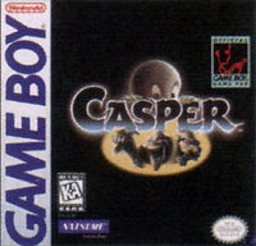
Game Boy (GB) — EmulatorJS controls
Default Player 1 keyboard mapping. Change keys in Controller Settings.
| Console button | Keyboard |
|---|---|
| ↑ / ↓ / ← / → | ↑ / ↓ / ← / → |
| A / B | Z / X |
| START / SELECT | Enter / V |
Open Controller Settings to configure your keyboard or gamepad. Touch controls are available on mobile.
How to Play Casper
Quick start
Choose a difficulty and enter the first doorway with A. In OOZ Command, aim the cursor at incoming Uncles and press A to protect the containers.
Controls
Directional pad: move. A: enter a room; use the current minigame action, such as firing or digging. B: skip a placement position in the machine-building game. START: pause.
Casper — About this game
Casper explores the mansion and enters different minigames to collect ooze for the Lazarus machine. Tasks include protecting containers, climbing to gather supplies and assembling the machine's parts. Some challenges use a moving cursor, while others require direct movement and timed actions. Learn the objective inside each doorway and preserve your chances rather than treating every room as the same platform stage.
Casper Game manuals
Cheats
No cheats have been added for this edition.
Player verification and sources
Browser play was reviewed before this edition was published in the catalogue. The date below is the catalogue publication date, not the game’s original release date.
- Browser test and catalogue publication date
- Browsers and devices
- PC: Chrome, Edge and Firefox. Mobile: Chrome on Android and Safari on iPhone and iPad.
- Player engine and core
- EmulatorJS 4.3.0-pre · gb
- Tested by
- rwEmulator
Sources and editorial basis
rwEmulator reviews edition metadata, release information, game manuals and first-hand browser-play notes. Available manuals are linked below; the editorial policy explains how facts are checked and corrections are handled.