More browsing paths
Play Cave Noire (Japan edition · Japanese) Online
Cave Noire
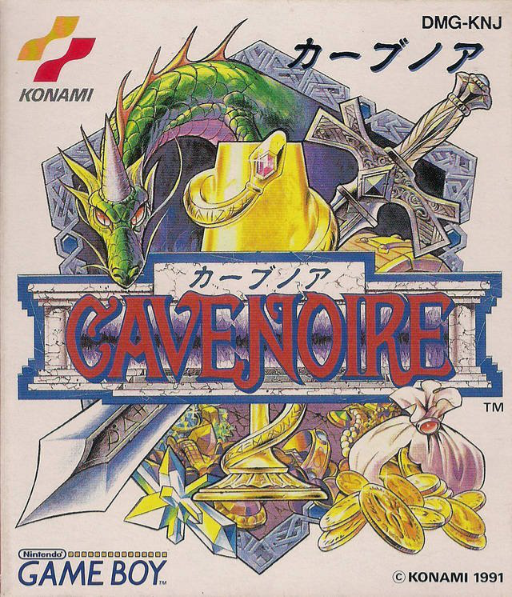
Play Cave Noire online. Enter a newly generated dungeon with a specific goal: defeat monsters, collect gold or orbs, or rescue fairies.
Browser play
Game Boy (GB) — EmulatorJS controls
Default Player 1 keyboard mapping. Change keys in Controller Settings.
| Console button | Keyboard |
|---|---|
| ↑ / ↓ / ← / → | ↑ / ↓ / ← / → |
| A / B | Z / X |
| START / SELECT | Enter / V |
Open Controller Settings to configure your keyboard or gamepad. Touch controls are available on mobile.
How to Play Cave Noire
Quick start
Create a character and choose a first-level quest. Read its target, move one square at a time and try B to wait when an enemy approaches.
Controls
Directional pad: move. A: open attack/item commands or confirm a choice. B: cancel; pass a turn in the dungeon. START: open the camp menu.
Cave Noire — About this game
Enter a newly generated dungeon with a specific goal: defeat monsters, collect gold or orbs, or rescue fairies. Each move advances the enemies' turn, so inspect nearby creatures before stepping into danger. Items and the camp menu support careful planning, and passing a turn can let an enemy move into a better position. Meet the target and find the way out rather than fighting everything.
Cave Noire Game manuals
Cheats
No cheats have been added for this edition.
Player verification and sources
Browser play was reviewed before this edition was published in the catalogue. The date below is the catalogue publication date, not the game’s original release date.
- Browser test and catalogue publication date
- Browsers and devices
- PC: Chrome, Edge and Firefox. Mobile: Chrome on Android and Safari on iPhone and iPad.
- Player engine and core
- EmulatorJS 4.3.0-pre · gb
- Tested by
- rwEmulator
Sources and editorial basis
rwEmulator reviews edition metadata, release information, game manuals and first-hand browser-play notes. Available manuals are linked below; the editorial policy explains how facts are checked and corrections are handled.