More browsing paths
Play Desert Strike (SGB Enhanced · Europe edition · English) Online
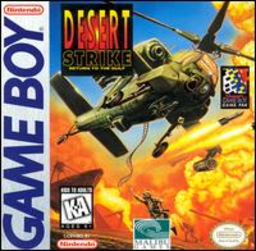
Desert Strike - Return to the Gulf
Play Desert Strike online. Pilot an Apache across an isometric battlefield, destroying assigned targets and lifting survivors to safety.
Browser play
Game Boy (GB) — EmulatorJS controls
Default Player 1 keyboard mapping. Change keys in Controller Settings.
| Console button | Keyboard |
|---|---|
| ↑ / ↓ / ← / → | ↑ / ↓ / ← / → |
| A / B | Z / X |
| START / SELECT | Enter / V |
Open Controller Settings to configure your keyboard or gamepad. Touch controls are available on mobile.
How to Play Desert Strike
Quick start
Keep the default controls and begin Campaign 1 with START. Read the briefing, open SELECT map and locate the first radar target before flying.
Controls
Directional pad: move. A: fire Hellfire; hold with direction to slide sideways. B: tap for Hydra rockets; hold for chain gun. SELECT: open map; B switches to status.
Desert Strike — About this game
Pilot an Apache across an isometric battlefield, destroying assigned targets and lifting survivors to safety. Fuel, armor and three kinds of ammunition limit how long you can remain in combat. The map identifies objectives and supply locations, while mission order shapes a safer route. Hover carefully for the automatic winch and carry rescued personnel back before pushing deeper into hostile territory.
Desert Strike Game manuals
Cheats
No cheats have been added for this edition.
Player verification and sources
Browser play was reviewed before this edition was published in the catalogue. The date below is the catalogue publication date, not the game’s original release date.
- Browser test and catalogue publication date
- Browsers and devices
- PC: Chrome, Edge and Firefox. Mobile: Chrome on Android and Safari on iPhone and iPad.
- Player engine and core
- EmulatorJS 4.3.0-pre · gb
- Tested by
- rwEmulator
Sources and editorial basis
rwEmulator reviews edition metadata, release information, game manuals and first-hand browser-play notes. Available manuals are linked below; the editorial policy explains how facts are checked and corrections are handled.