More browsing paths
Play DuckTales 2 (Japan edition · Japanese) Online
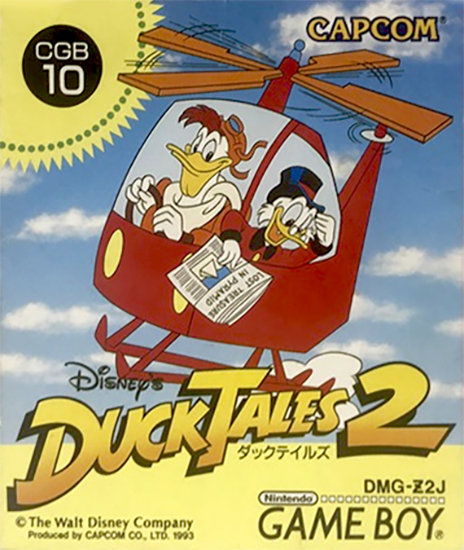
DuckTales 2
Play DuckTales 2 online on Game Boy. Explore for map pieces and put Scrooge’s cane to work.
Browser play
Game Boy (GB) — EmulatorJS controls
Default Player 1 keyboard mapping. Change keys in Controller Settings.
| Console button | Keyboard |
|---|---|
| ↑ / ↓ / ← / → | ↑ / ↓ / ← / → |
| A / B | Z / X |
| START / SELECT | Enter / V |
Open Controller Settings to configure your keyboard or gamepad. Touch controls are available on mobile.
How to Play DuckTales 2
Quick start
Start a new game and choose a destination on the travel map. Practise A then held B on safe ground, and inspect nearby objects before committing to a jump.
Controls
Left/right: move. A: jump; while airborne hold B for a pogo bounce. B operates the cane for attacks and interactions with nearby objects. START pauses.
DuckTales 2 — About this game
DuckTales 2 gives Scrooge another globe-spanning treasure hunt, this time prompted by a torn map to the lost McDuck fortune. Choose a destination, explore branching routes and use the cane for bouncing and interacting with objects. Finding map pieces rewards curiosity beyond simply reaching the end of a stage.
Practise the jump-then-hold-B rhythm before attempting a long gap. When a route stops at an unusual object, inspect how the cane interacts with it instead of assuming every obstacle is solved by jumping higher.
DuckTales 2 Game manuals
Cheats
No cheats have been added for this edition.
Player verification and sources
Browser play was reviewed before this edition was published in the catalogue. The date below is the catalogue publication date, not the game’s original release date.
- Browser test and catalogue publication date
- Browsers and devices
- PC: Chrome, Edge and Firefox. Mobile: Chrome on Android and Safari on iPhone and iPad.
- Player engine and core
- EmulatorJS 4.3.0-pre · gb
- Tested by
- rwEmulator
Sources and editorial basis
rwEmulator reviews edition metadata, release information, game manuals and first-hand browser-play notes. Available manuals are linked below; the editorial policy explains how facts are checked and corrections are handled.