More browsing paths
Play Earthworm Jim (Europe edition · English) Online
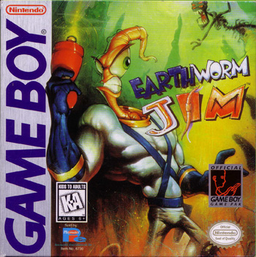
Earthworm Jim
Play Earthworm Jim online. An ordinary worm in a powerful suit crosses strange platform stages using a blaster and his own body as a whip.
Browser play
Game Boy (GB) — EmulatorJS controls
Default Player 1 keyboard mapping. Change keys in Controller Settings.
| Console button | Keyboard |
|---|---|
| ↑ / ↓ / ← / → | ↑ / ↓ / ← / → |
| A / B | Z / X |
| START / SELECT | Enter / V |
Open Controller Settings to configure your keyboard or gamepad. Touch controls are available on mobile.
How to Play Earthworm Jim
Quick start
Begin the game and practise A jumps on the first platforms. Compare short B taps for the whip with longer B presses for shooting.
Controls
Directional pad: move. A: jump; tap repeatedly in air to slow falling. B: short tap: head whip; longer press: blaster; hanging: blaster. START: pause.
Earthworm Jim — About this game
An ordinary worm in a powerful suit crosses strange platform stages using a blaster and his own body as a whip. Short and long presses of B produce different attacks, so distance and timing matter. Repeated jumps in midair turn Jim's head into a rotor to slow his fall. Watch your health, use platforms carefully and switch between shooting and close-range whipping as enemies approach.
Earthworm Jim Game manuals
Cheats
No cheats have been added for this edition.
Player verification and sources
Browser play was reviewed before this edition was published in the catalogue. The date below is the catalogue publication date, not the game’s original release date.
- Browser test and catalogue publication date
- Browsers and devices
- PC: Chrome, Edge and Firefox. Mobile: Chrome on Android and Safari on iPhone and iPad.
- Player engine and core
- EmulatorJS 4.3.0-pre · gb
- Tested by
- rwEmulator
Sources and editorial basis
rwEmulator reviews edition metadata, release information, game manuals and first-hand browser-play notes. Available manuals are linked below; the editorial policy explains how facts are checked and corrections are handled.